B2B quotes and pricing
CRM document types: quote, contract, invoice and versions in Krokul
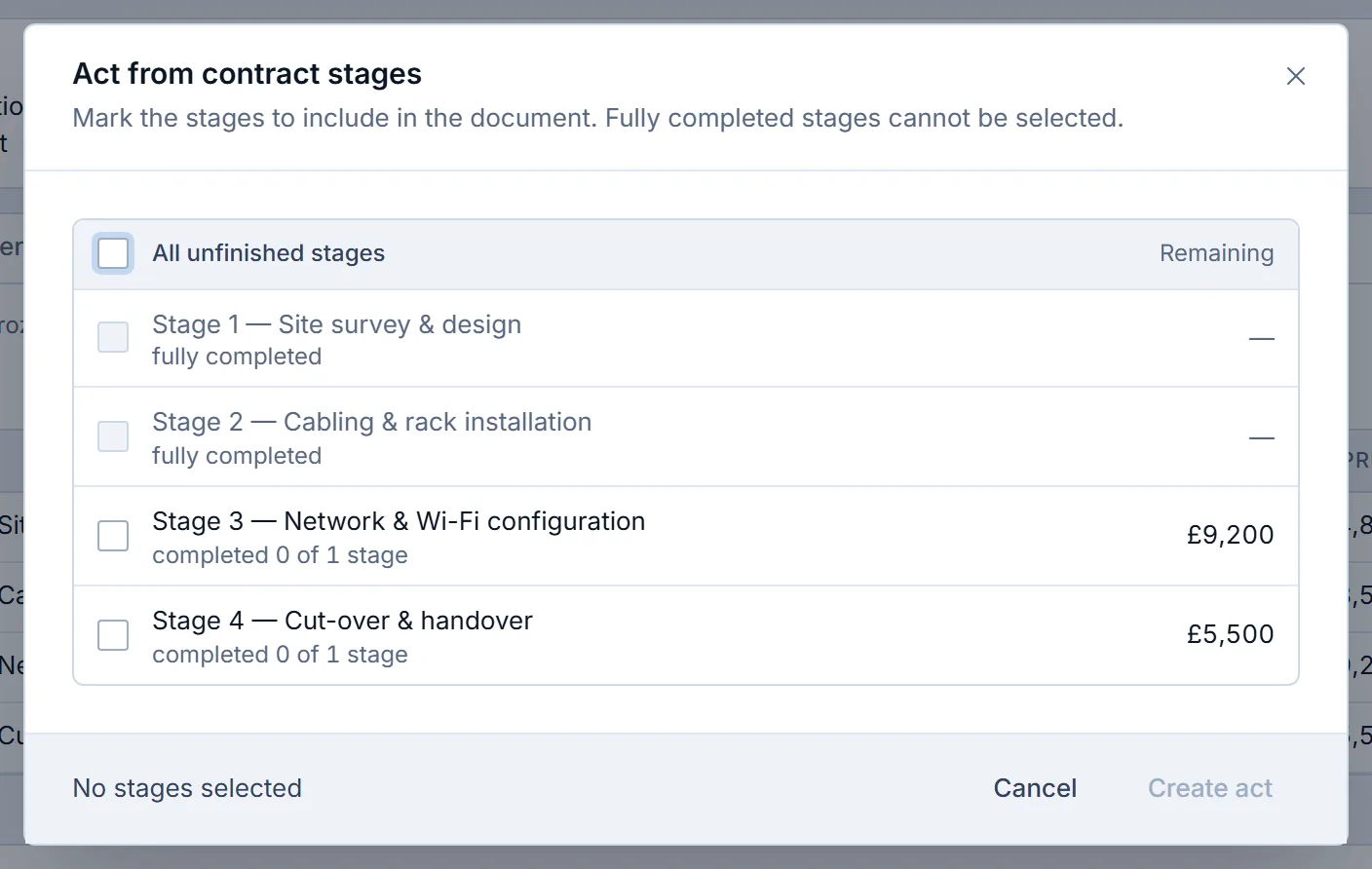
Krokul has seven CRM document types: quote, invoice, completion certificate, delivery note, return, contract and supplier order.
Krokul Blog
All guides from newest to oldest.
Krokul has seven CRM document types: quote, invoice, completion certificate, delivery note, return, contract and supplier order.
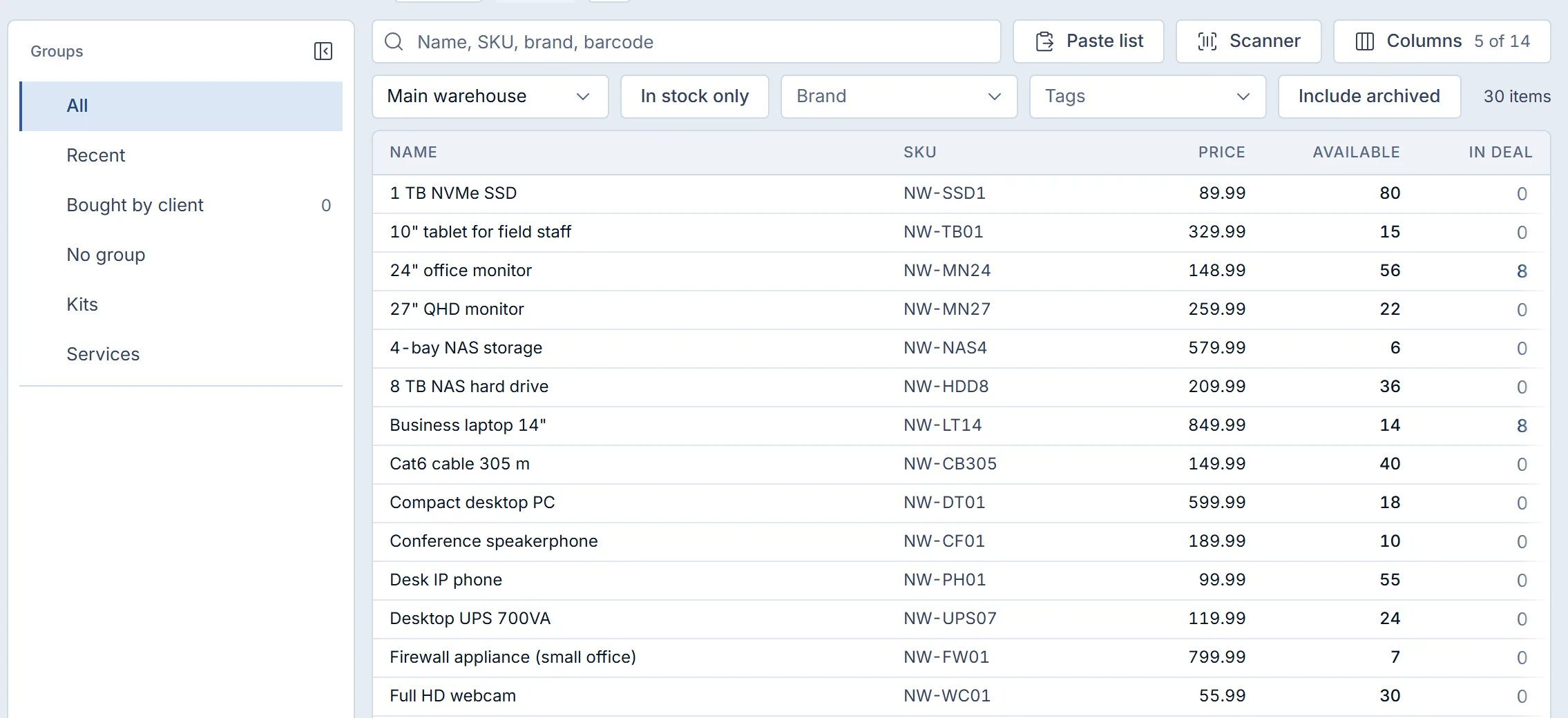
To add items to a quote fast in Krokul, open the product picker from the deal, find products by name, SKU, brand or barcode, set the quantity in the row, paste a client’s list or repeat the last order, check the free stock and press Save once.
To connect Gmail and Google Calendar to a CRM, each manager signs in with their own Google account and grants access to mail and to the calendar.
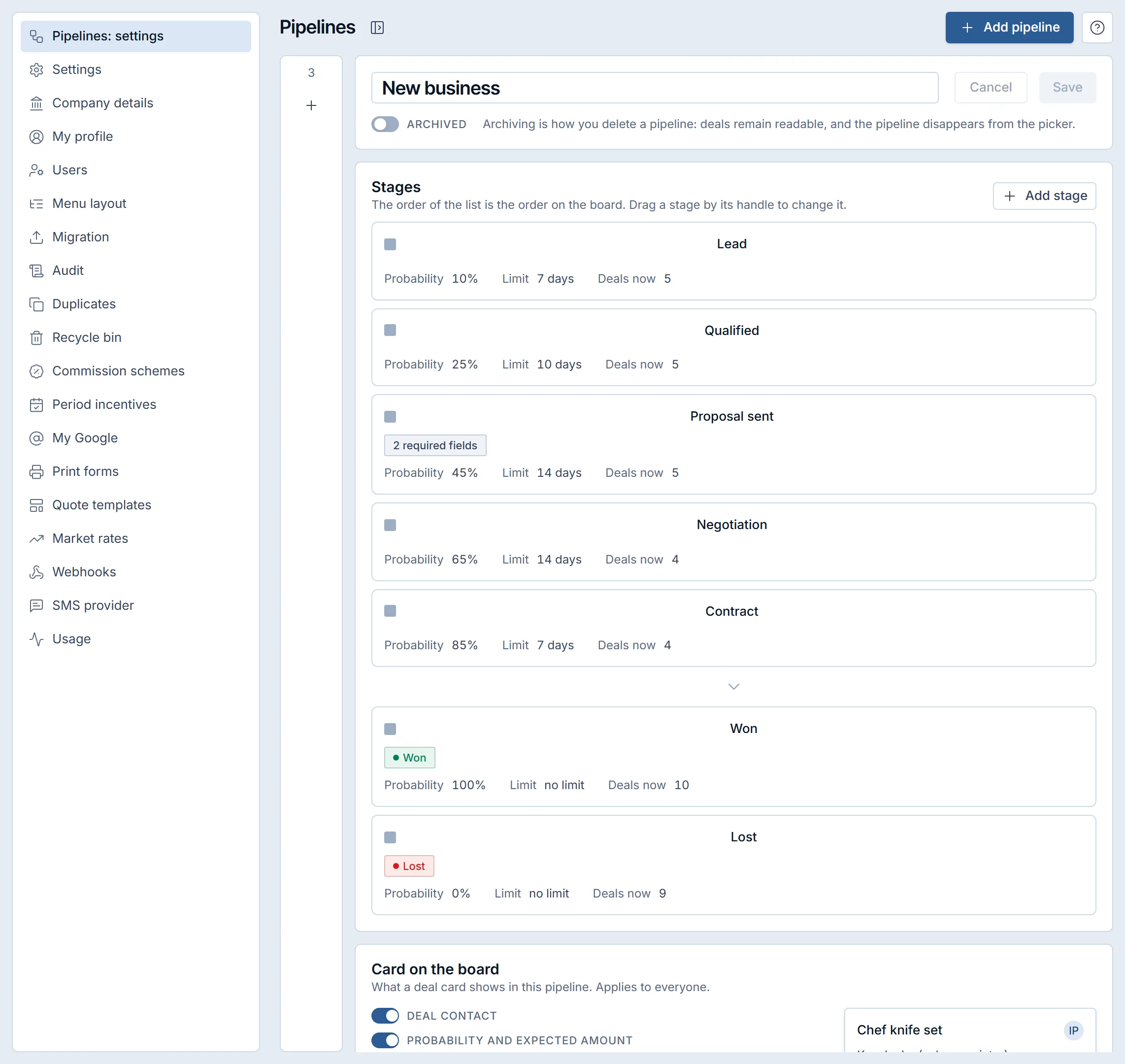
A CRM custom fields setup adds the fields your company needs to deals, contacts, client companies and other records for data the standard form lacks.
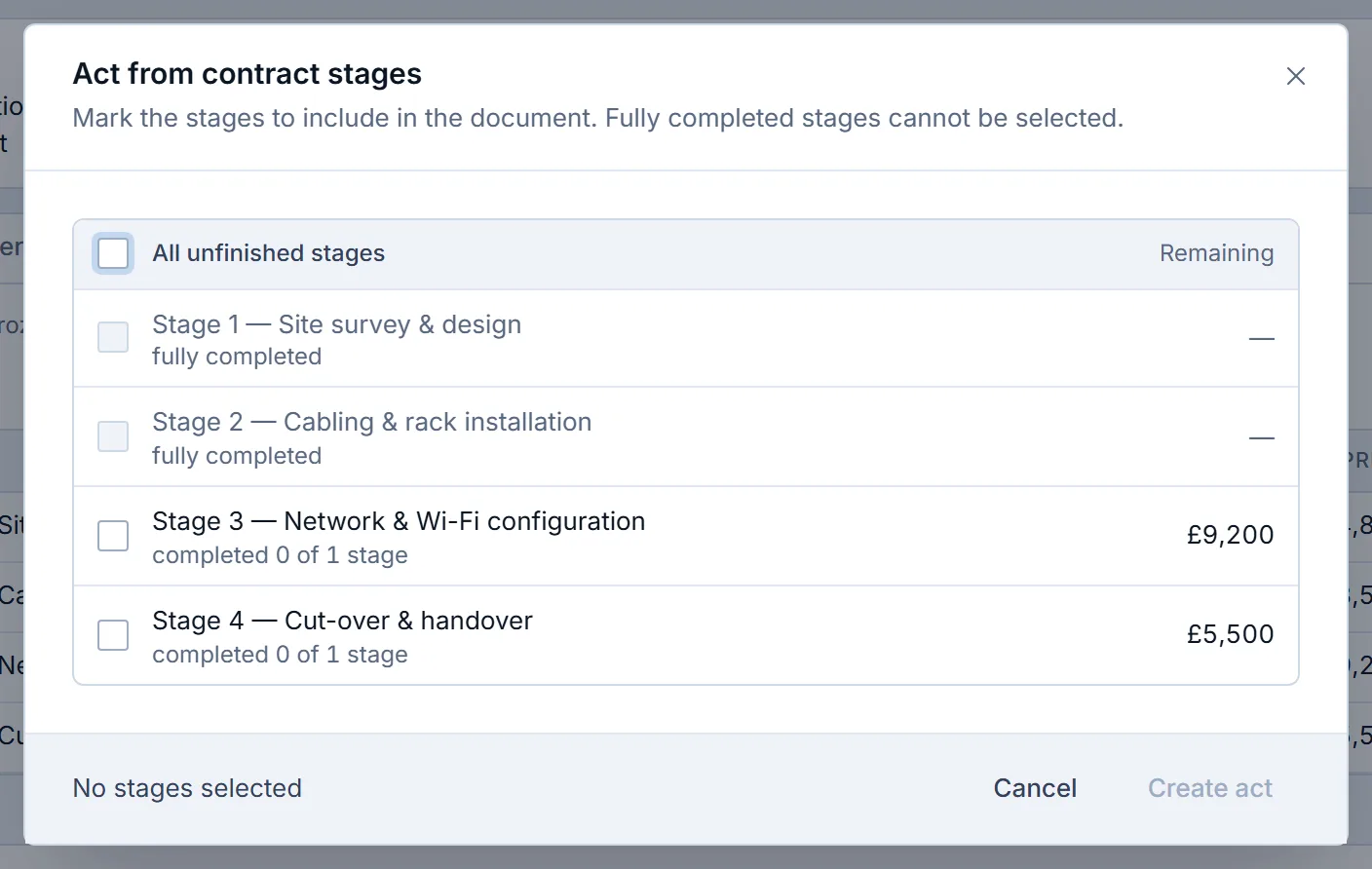
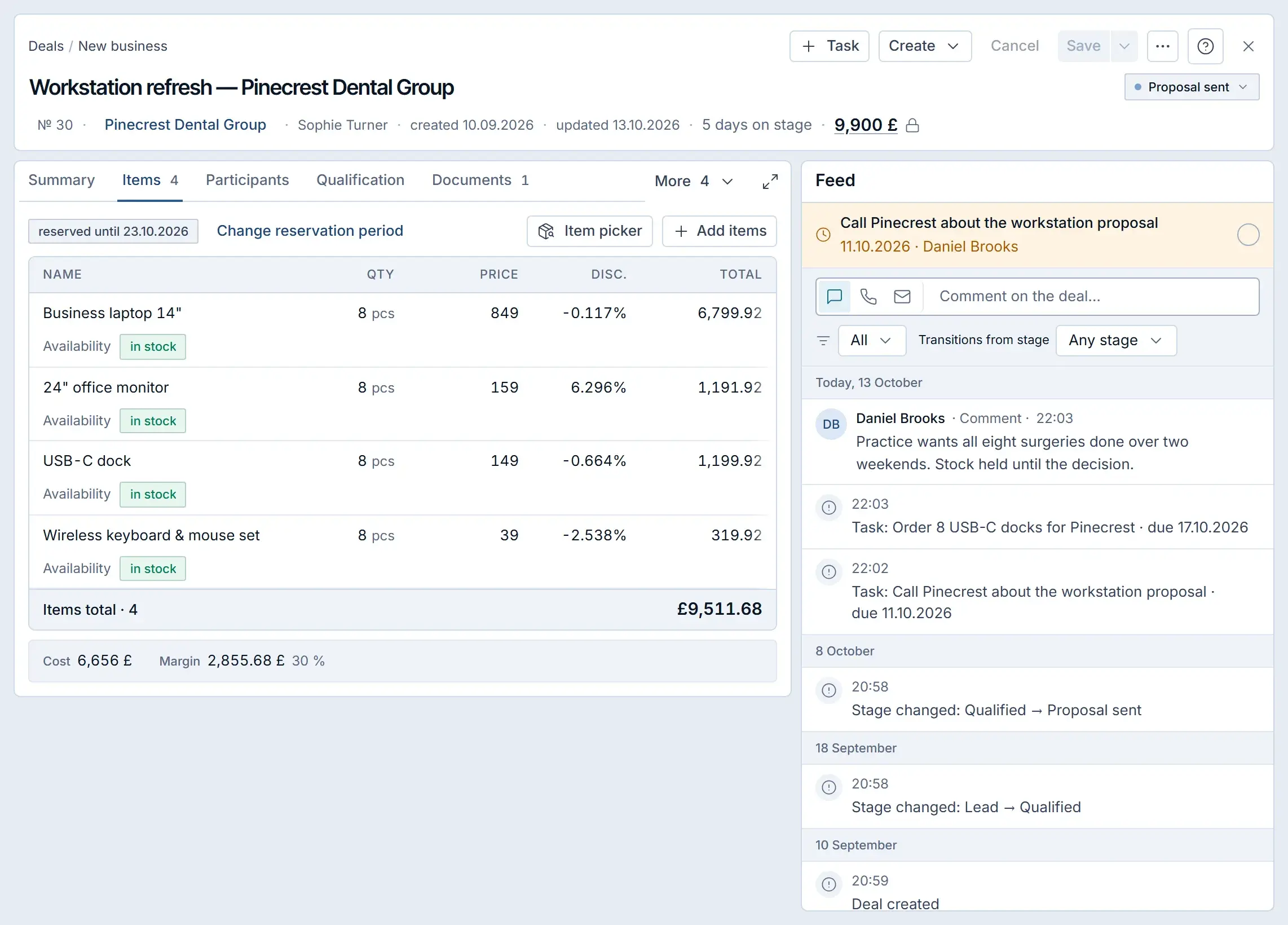
To turn a quote into a contract and invoice without retyping in Krokul, open the quote the client chose, pick Make based on in the document menu and choose Contract or Invoice.
A discount approval workflow gives each sales role a largest discount it may give alone and sends every larger request to an approver with the percentage and a written reason.
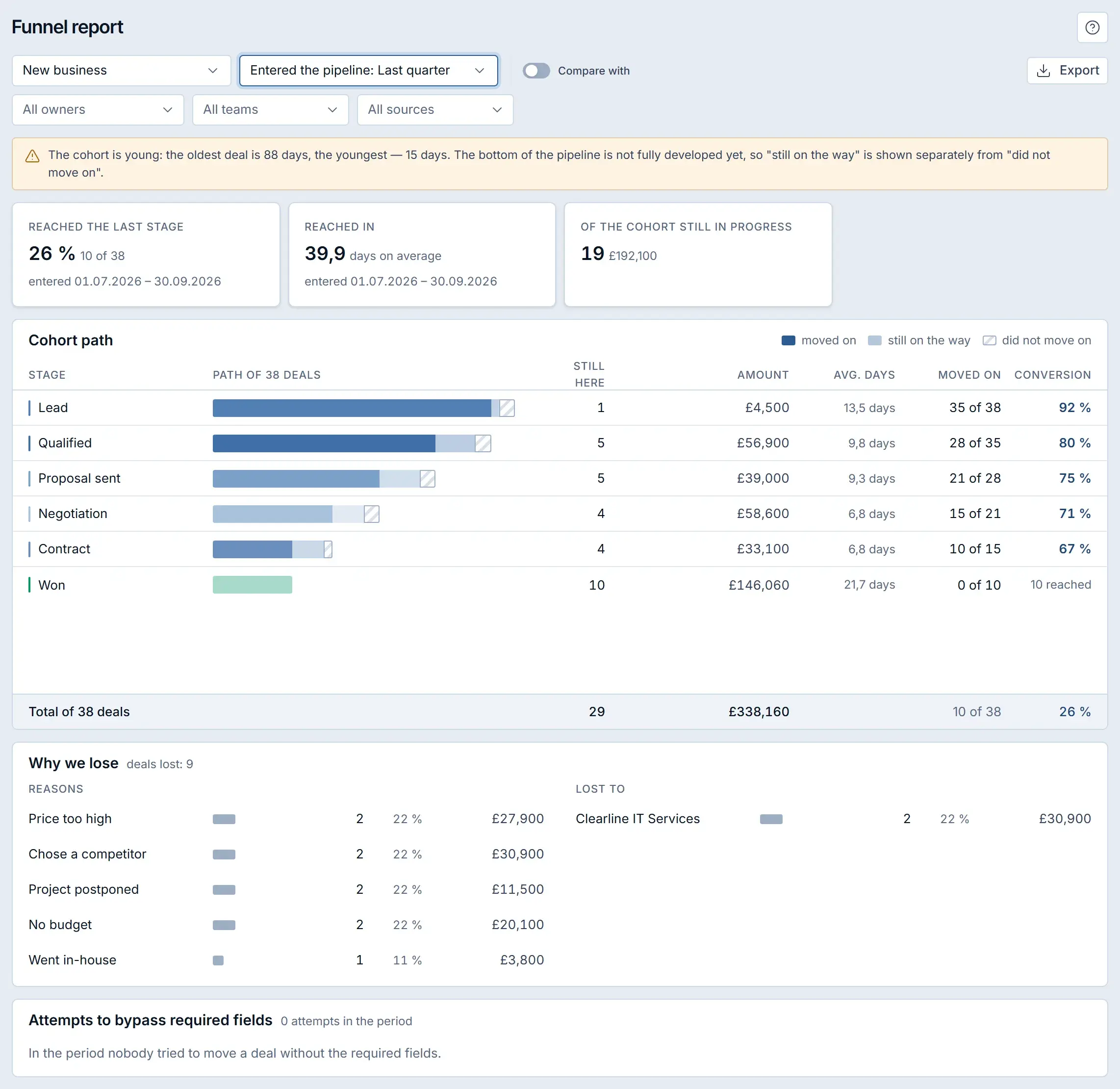
To build a first touch source report and find which inquiry source brings clients that sign, open the First touch report to see how many new contacts each source and each UTM source produced, then open the funnel report and filter it by one source at a time.
A shared inbox for client conversations puts every chat from Telegram and the website in one list, where each conversation has an owner, a status and a next step.
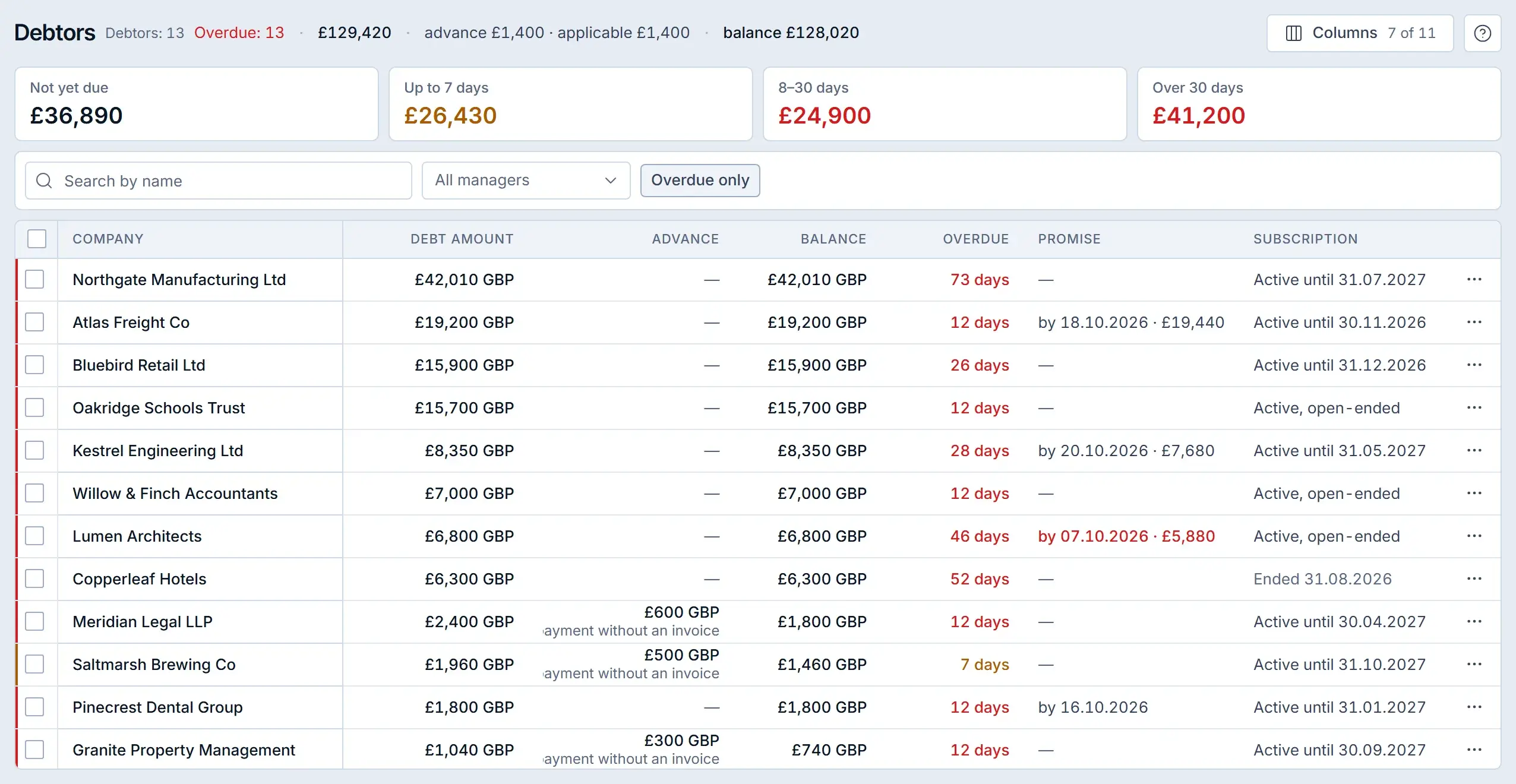
Sales follow-ups stay on time when every client conversation ends with a task that has an owner, a due date and a link to the deal.
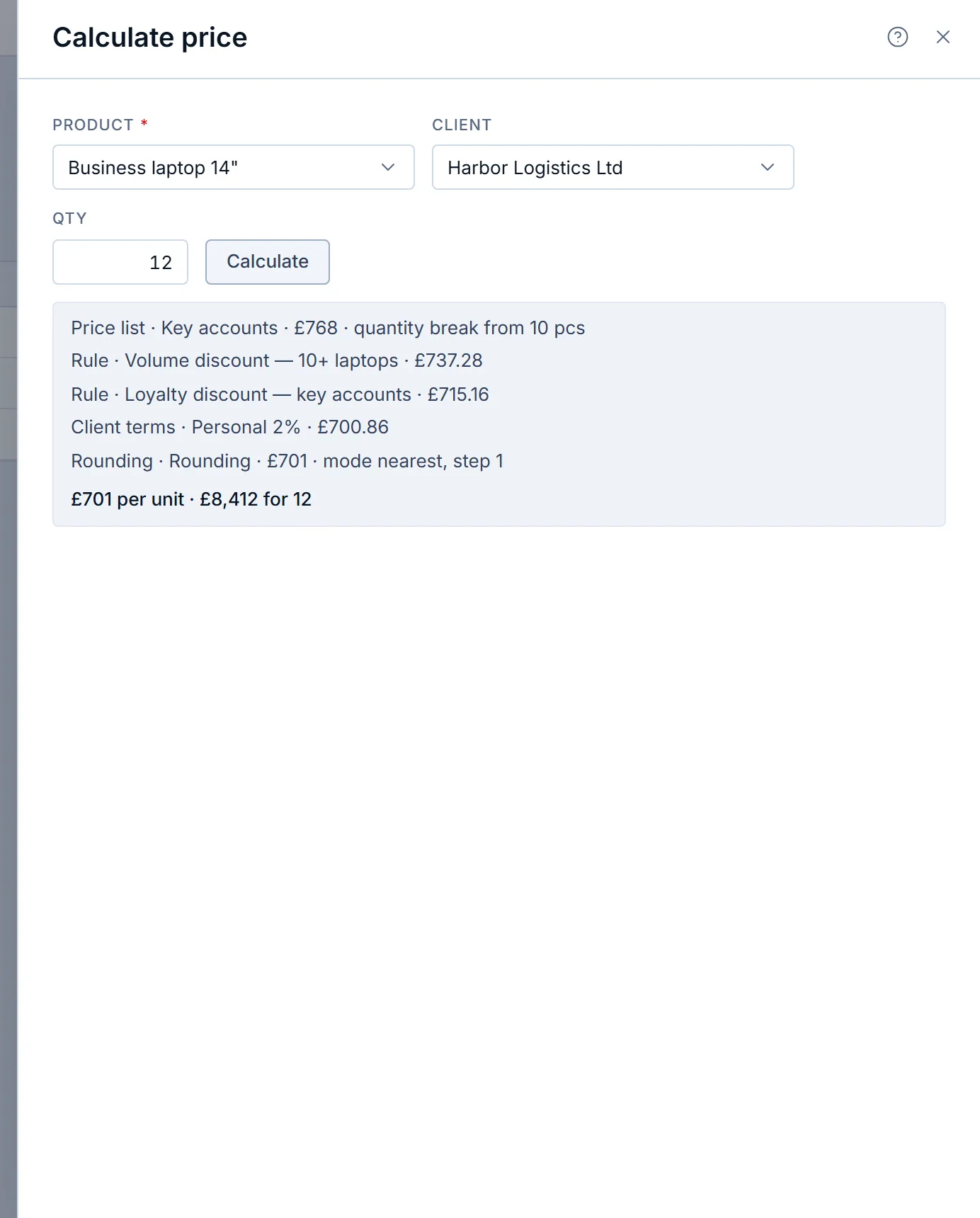
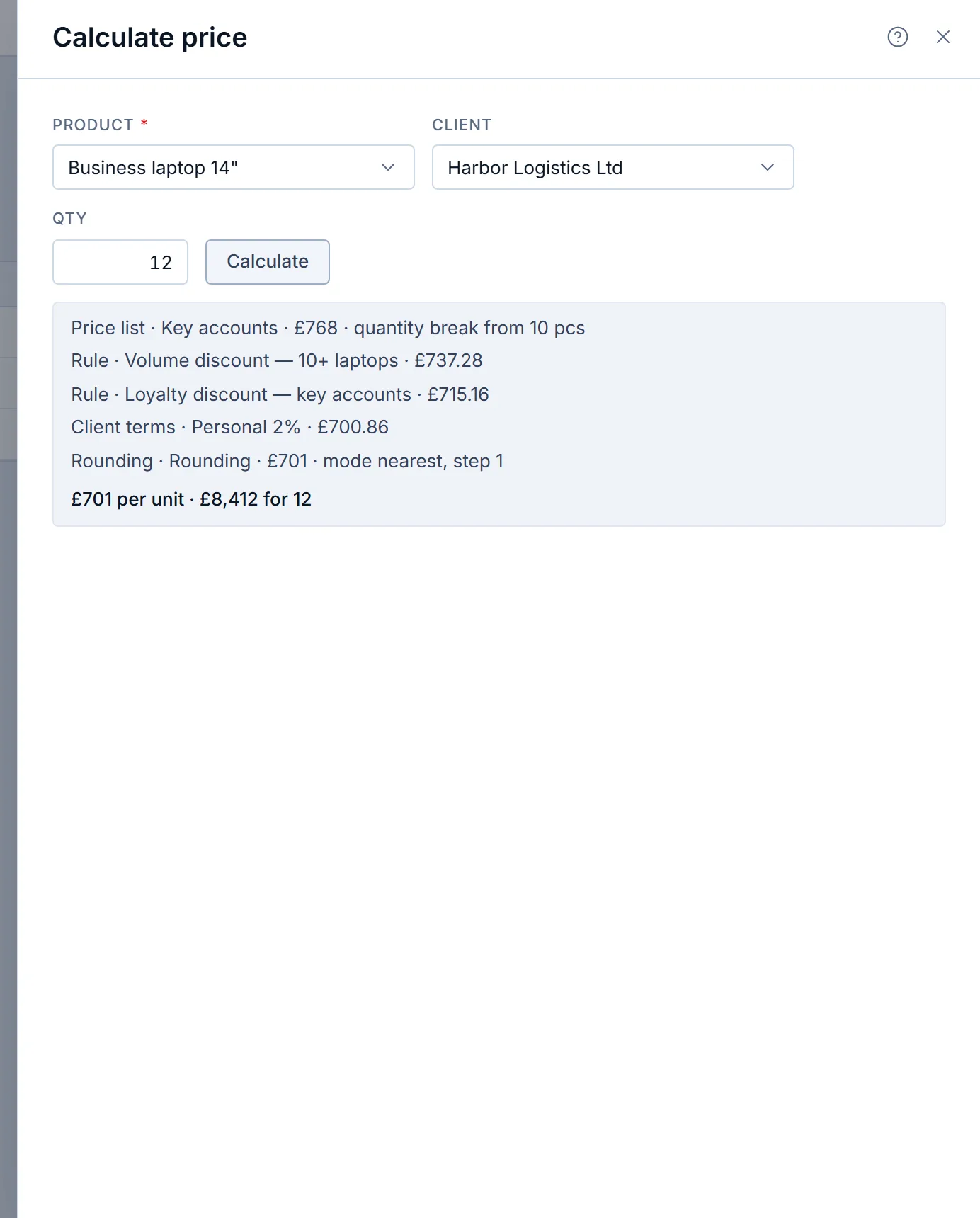
To set up price lists and discount rules in Krokul, open the Pricing screen, create a price list for each client tier with quantity breaks, write the discount rules, record the client terms, choose how discounts combine, and check the result with Calculate price for one client and one quantity before reps start quoting..
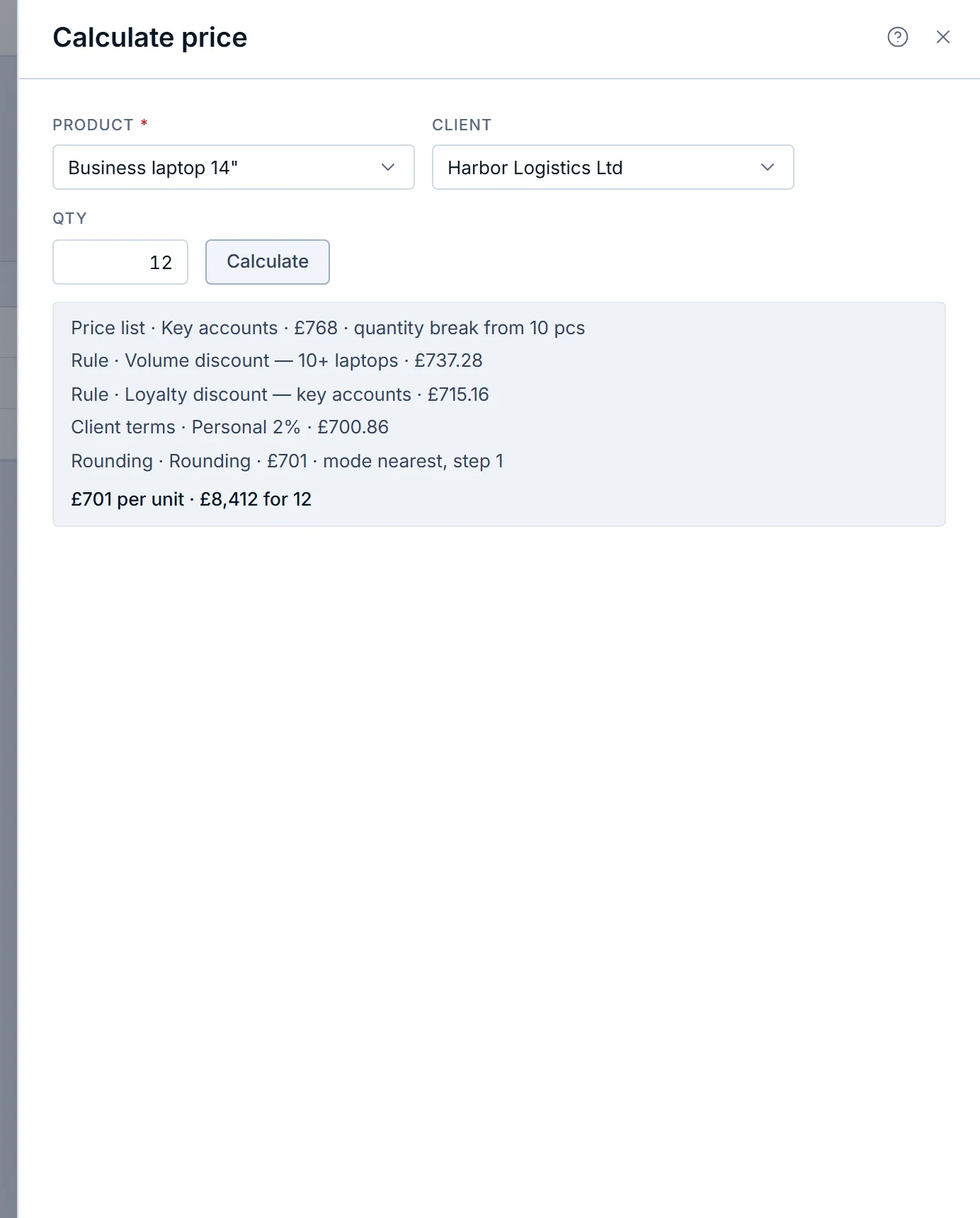
To set different prices for different customers, put prices into price lists by client tier, record which list and which personal discount each client receives, give every agreement an end date and fix the order in which the sources are checked.
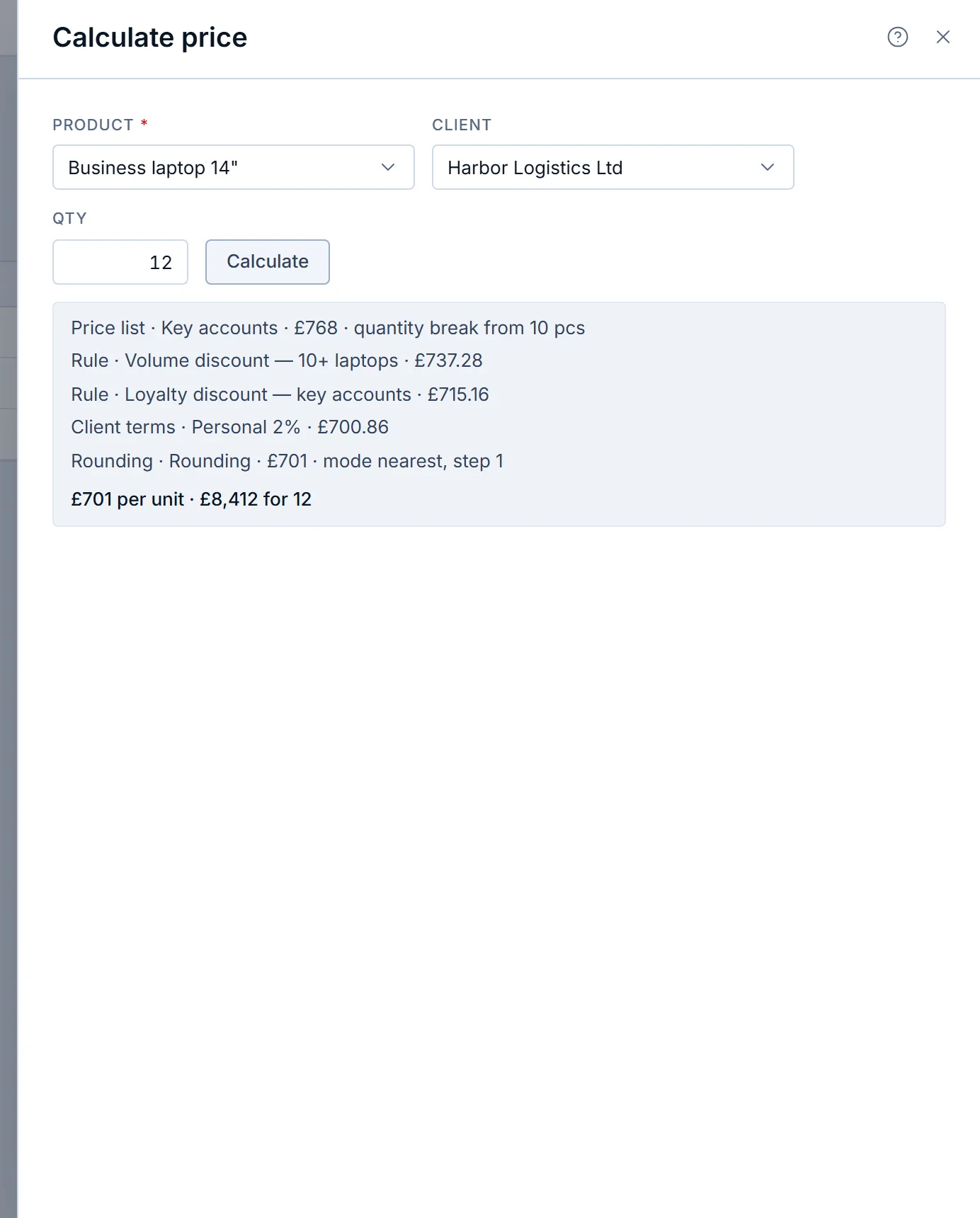
To quote B2B prices fast and get them right, keep prices in price lists tied to each client’s terms, let quantity breaks and dated rules lower the price automatically, cap manual discounts by role with an approval path for exceptions, set a floor price, and create the contract and invoice from the approved quote..
Written by the Krokul team
Every statement about the product is checked against Krokul itself, and every screenshot comes from a demo workspace.