Switching CRM
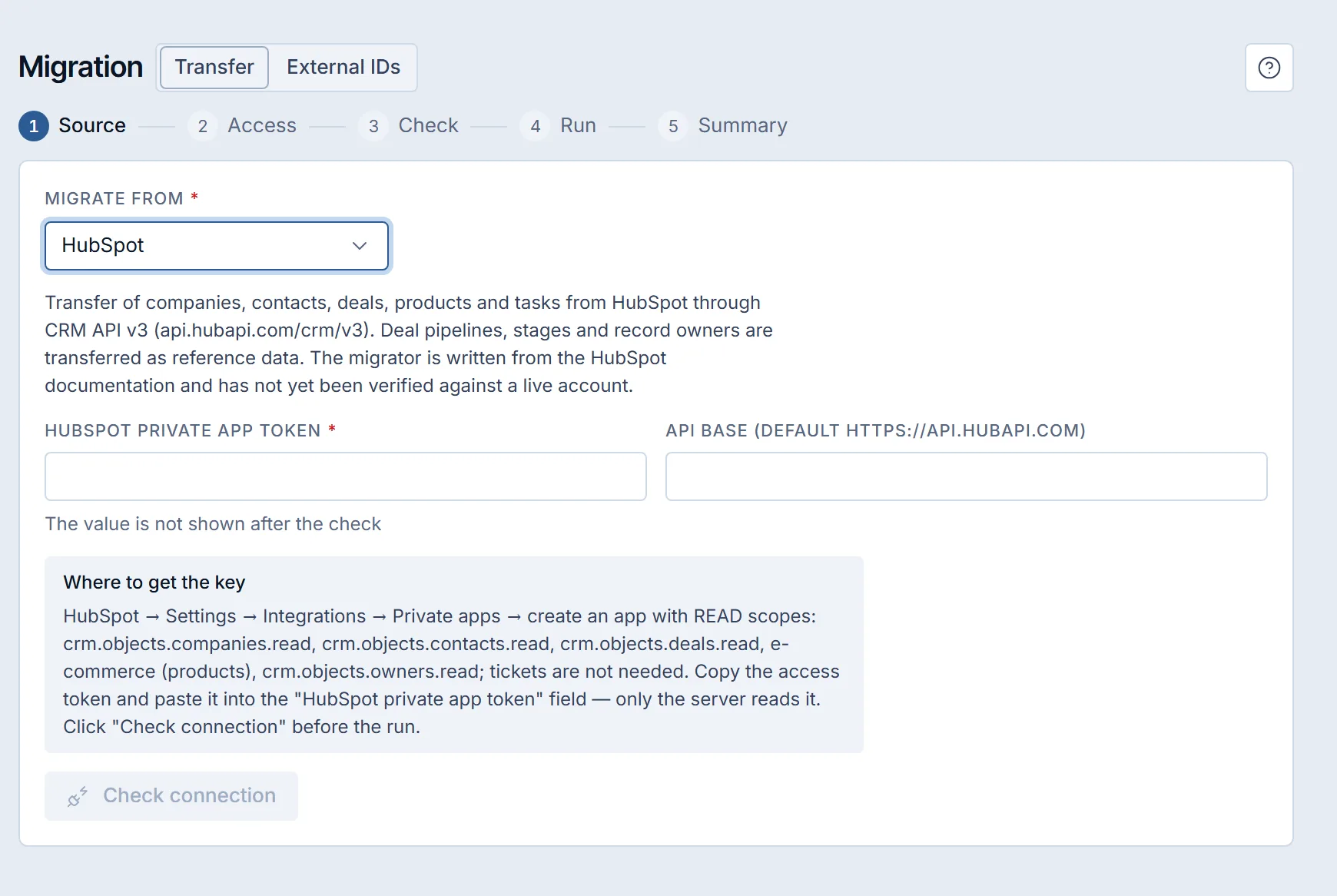
Migrating from HubSpot: what transfers and in what order
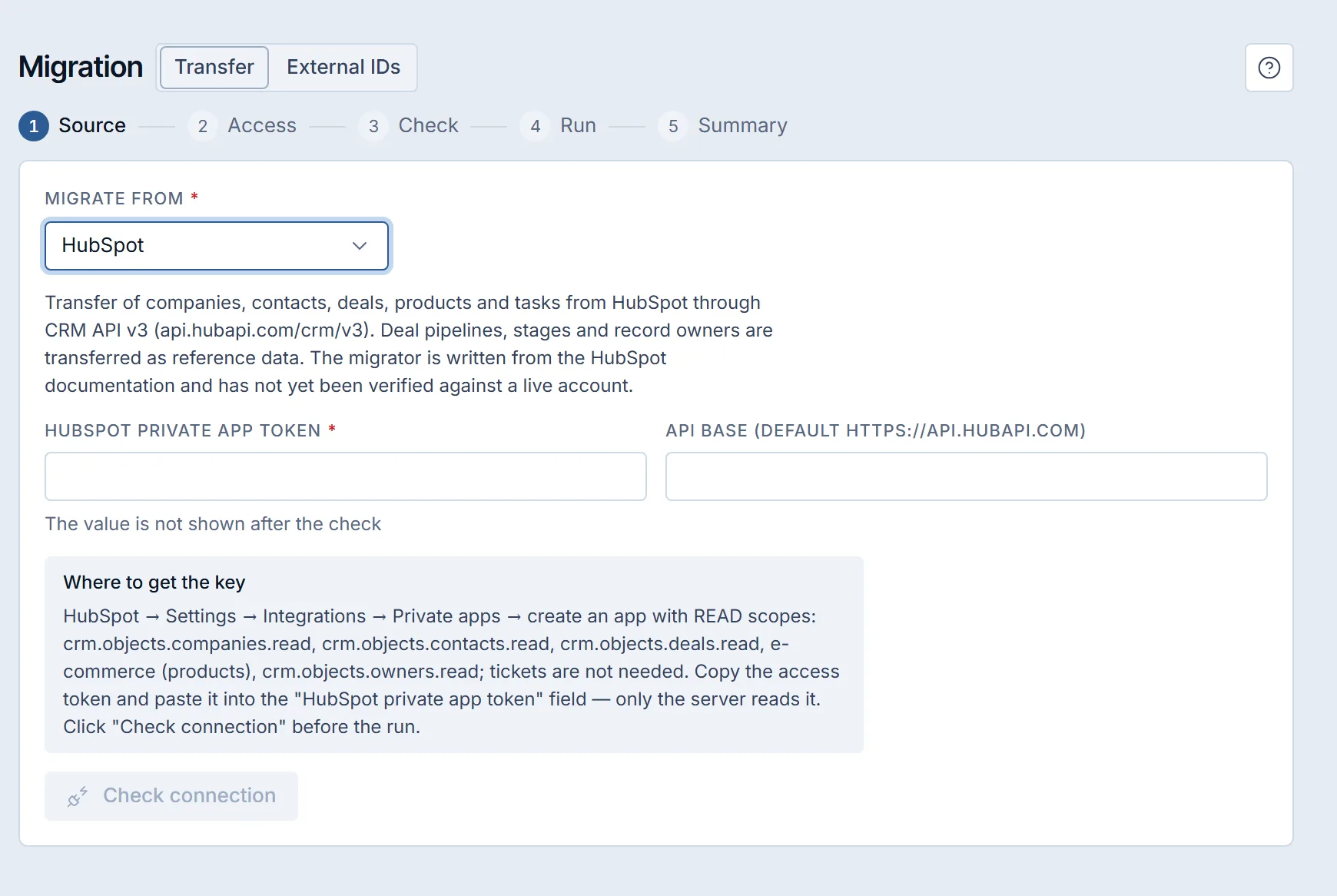
To migrate from HubSpot to Krokul, create a private app with read scopes, connect its token, match pipelines, stages and owners, run a dry run that writes nothing, then import.
Krokul Blog
All guides from newest to oldest.
To migrate from HubSpot to Krokul, create a private app with read scopes, connect its token, match pipelines, stages and owners, run a dry run that writes nothing, then import.
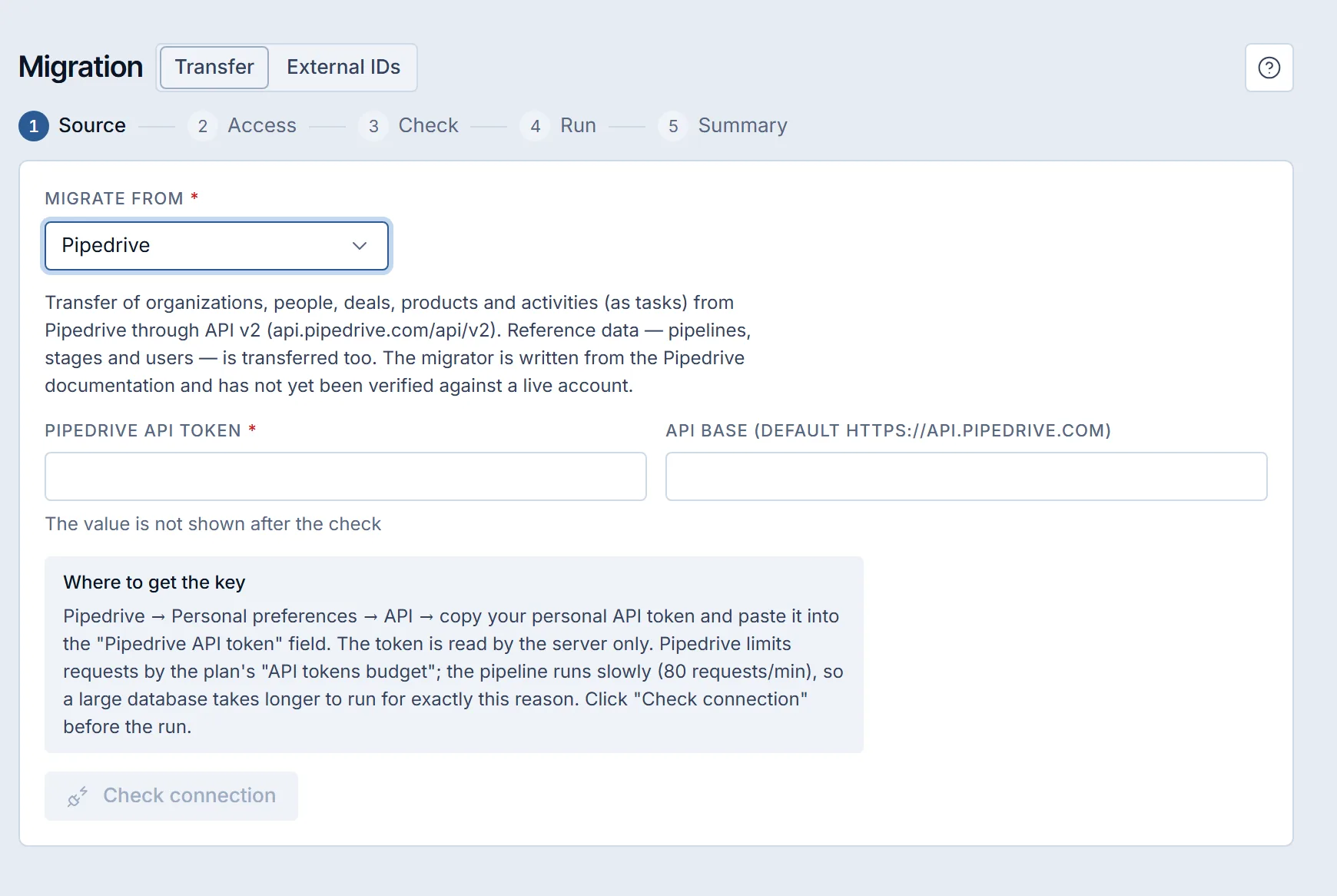
To migrate from Pipedrive to Krokul, connect a personal Pipedrive API token, map pipelines, stages and users, run a dry run that writes nothing, then import.
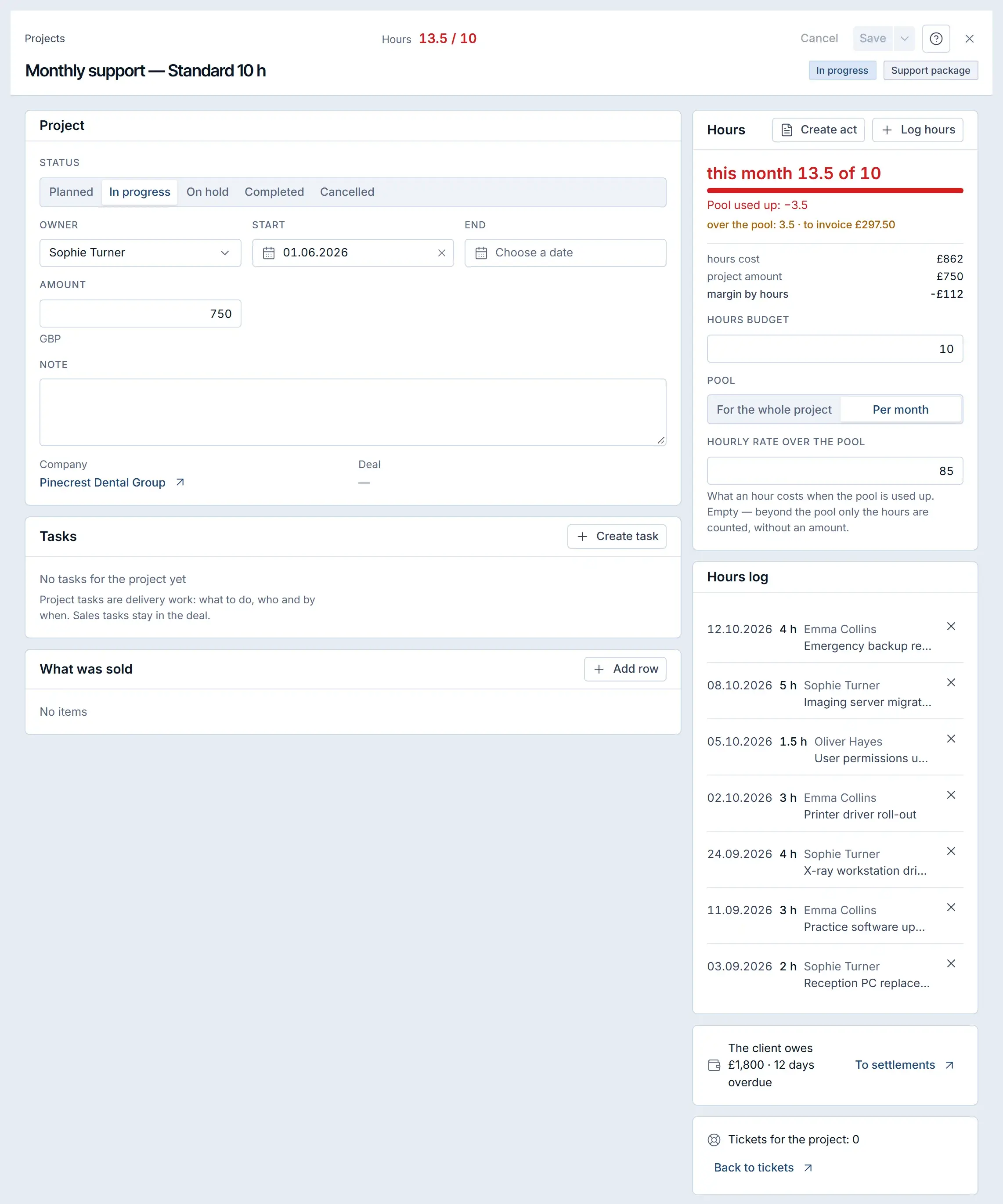
To invoice all the work you deliver, record every billable hour against a project, compare delivered work with invoiced work once a week, and issue a completion certificate or invoice for each gap before the month closes.
To switch CRM without losing data, list what must move, export it to files or connect the old system, map every old field to a new one, run a dry run that writes nothing, import for real and check the totals against the old system.
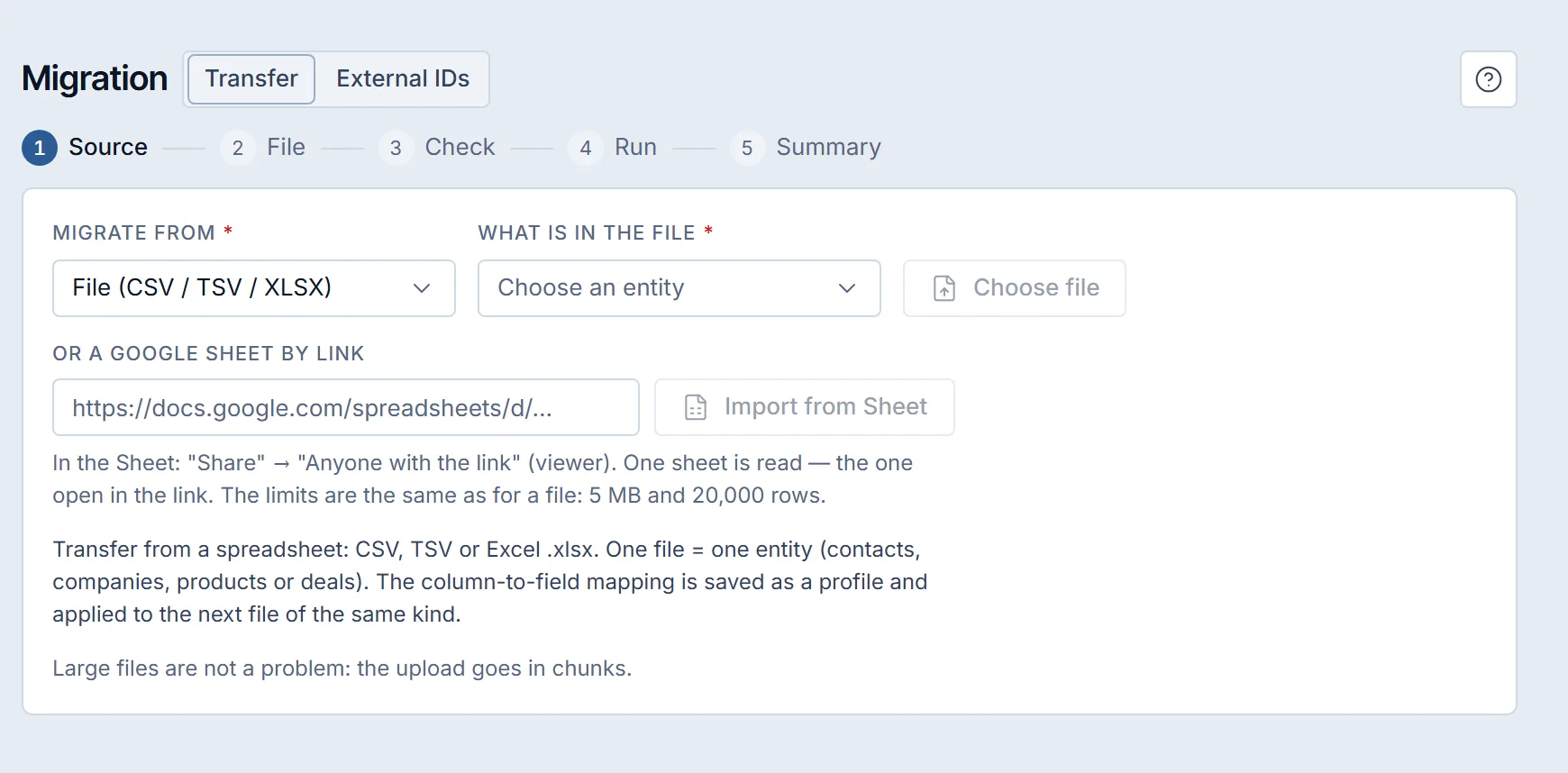
A CRM migration checklist is a plan in six phases: audit what has to move, choose the source and access, map every old field to a new one, run a dry run that writes nothing, import in dependency order, then compare the totals and keep a rollback ready.
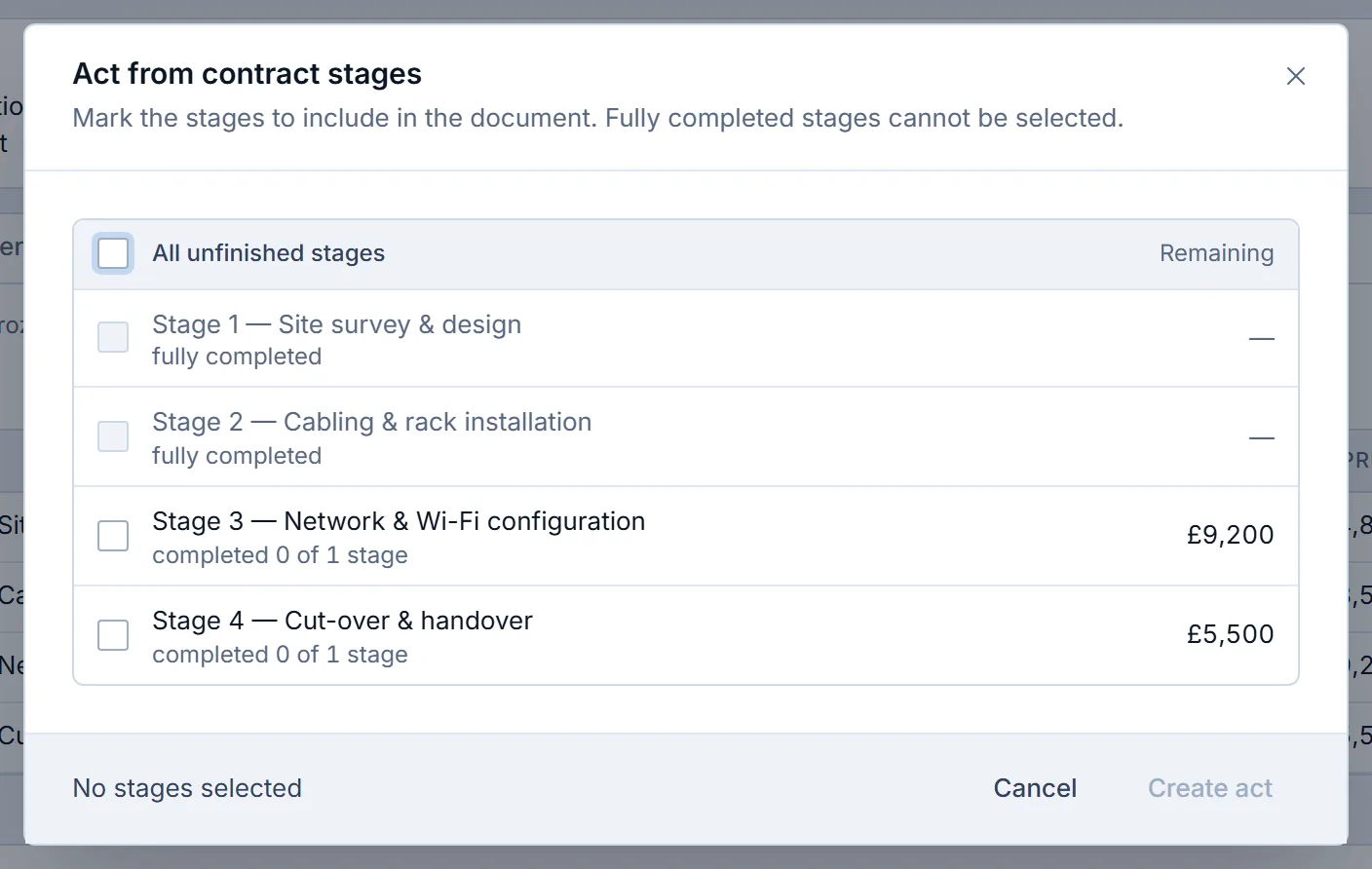
To find delivered work that was never invoiced, check the five places where work happens without an invoice trigger: hours above a prepaid package, closed project months, contract milestones, won deals and subscription periods.
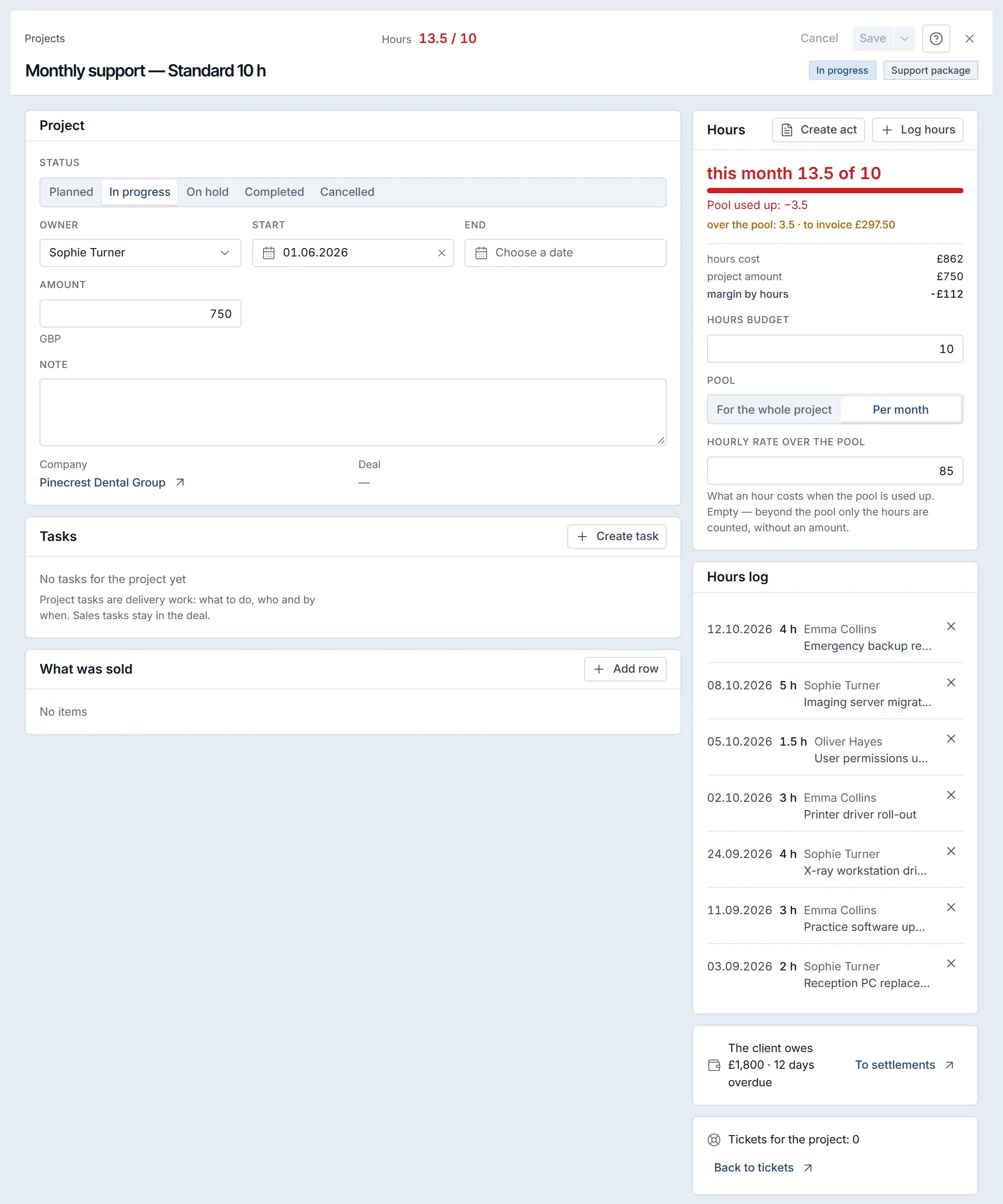
Prepaid support hours are a block of hours a client pays for in advance, usually per month, against which the team’s logged time is counted.
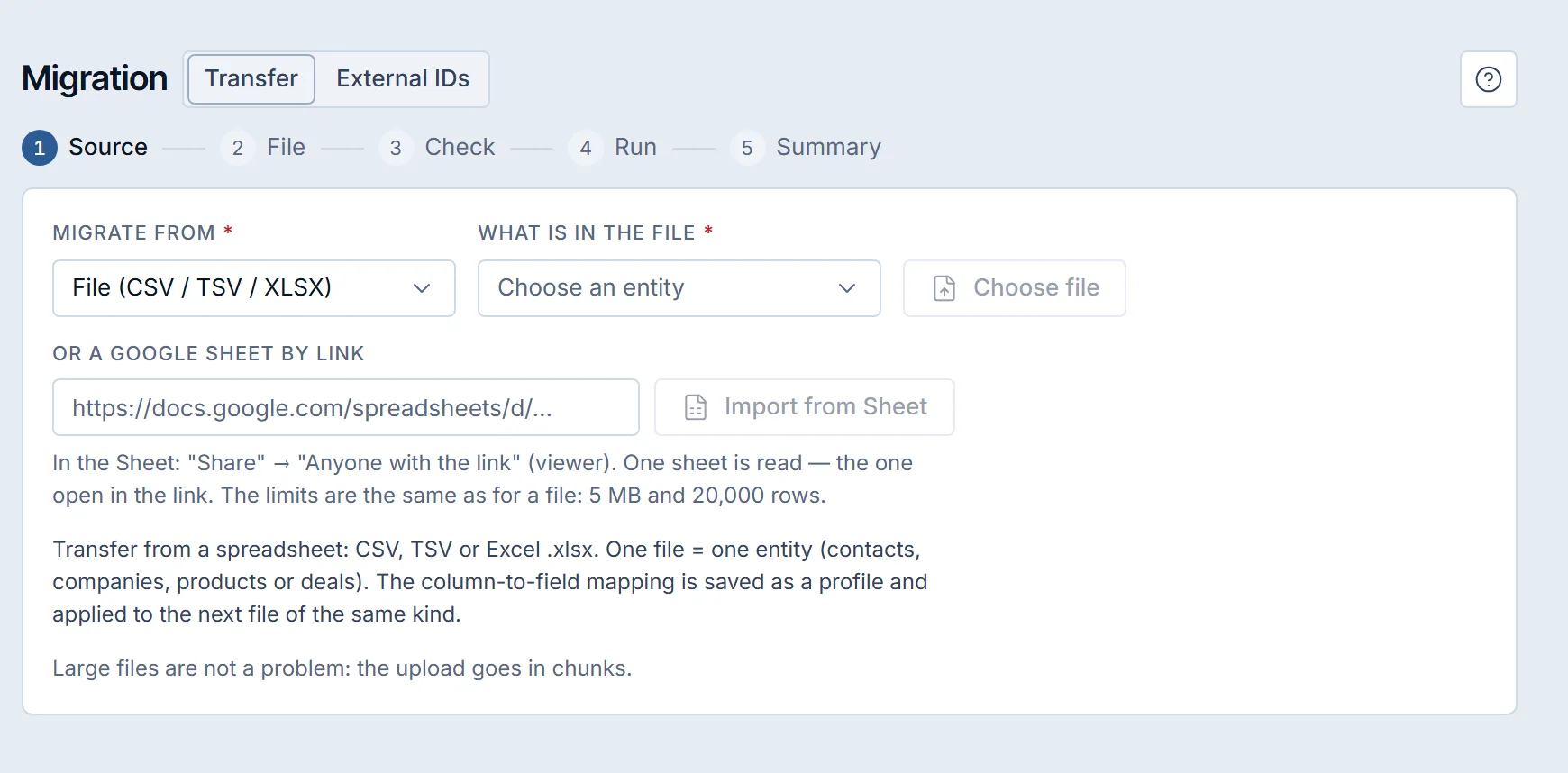
To move from spreadsheets to a CRM, split the data into one sheet per kind of record, clean duplicates and give every row its own ID, map each column to a CRM field, run a trial import that writes nothing, then import for real and compare the totals with the sheet.
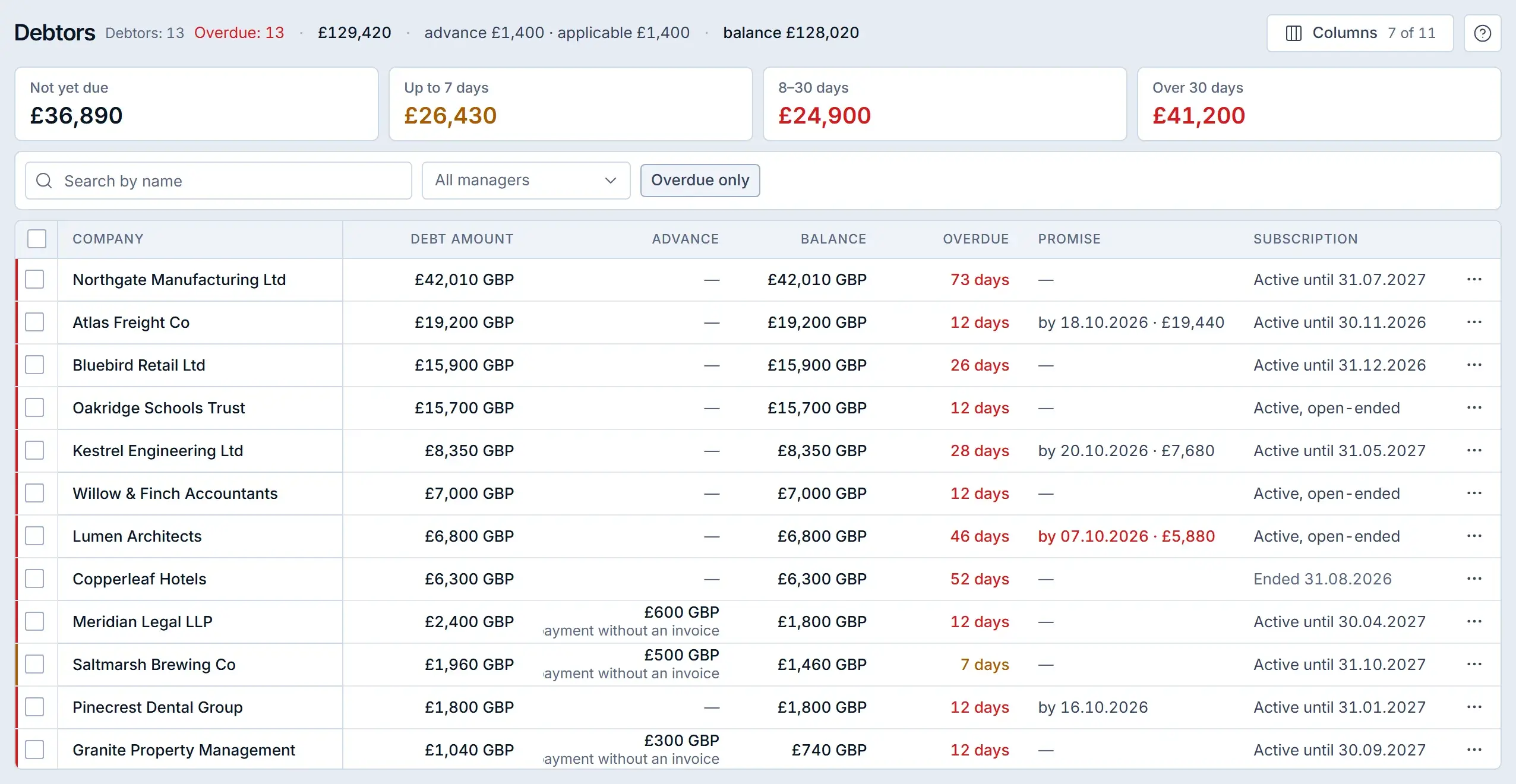
To get B2B invoices paid on time, put payment terms in the contract, issue each invoice the day the work is accepted, remind the client three days before the due date and review overdue invoices every week, grouped by days late.
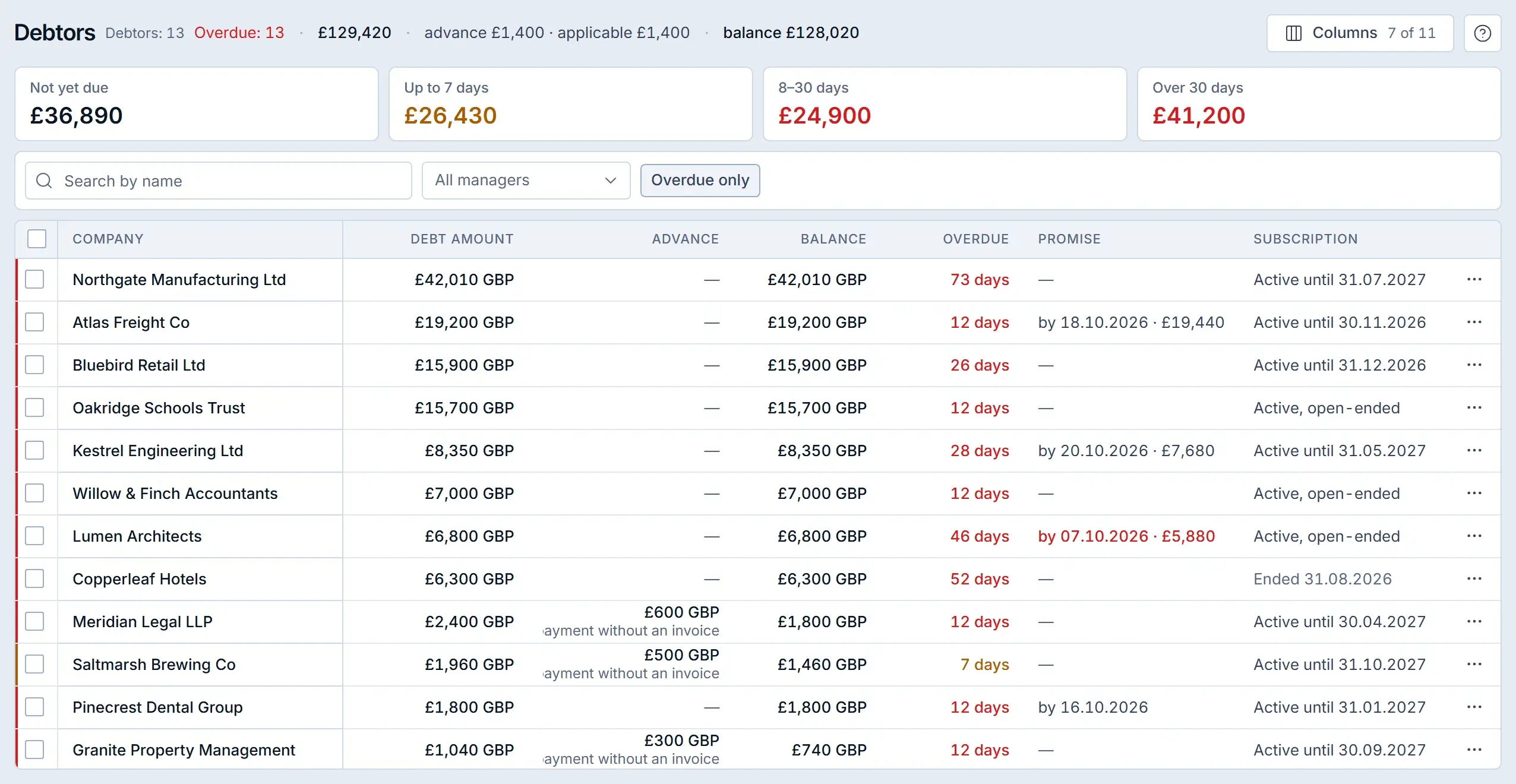
To set accounts receivable aging buckets, group every unpaid invoice by days past its due date: not yet due, up to 7 days, 8–30 days and over 30 days.
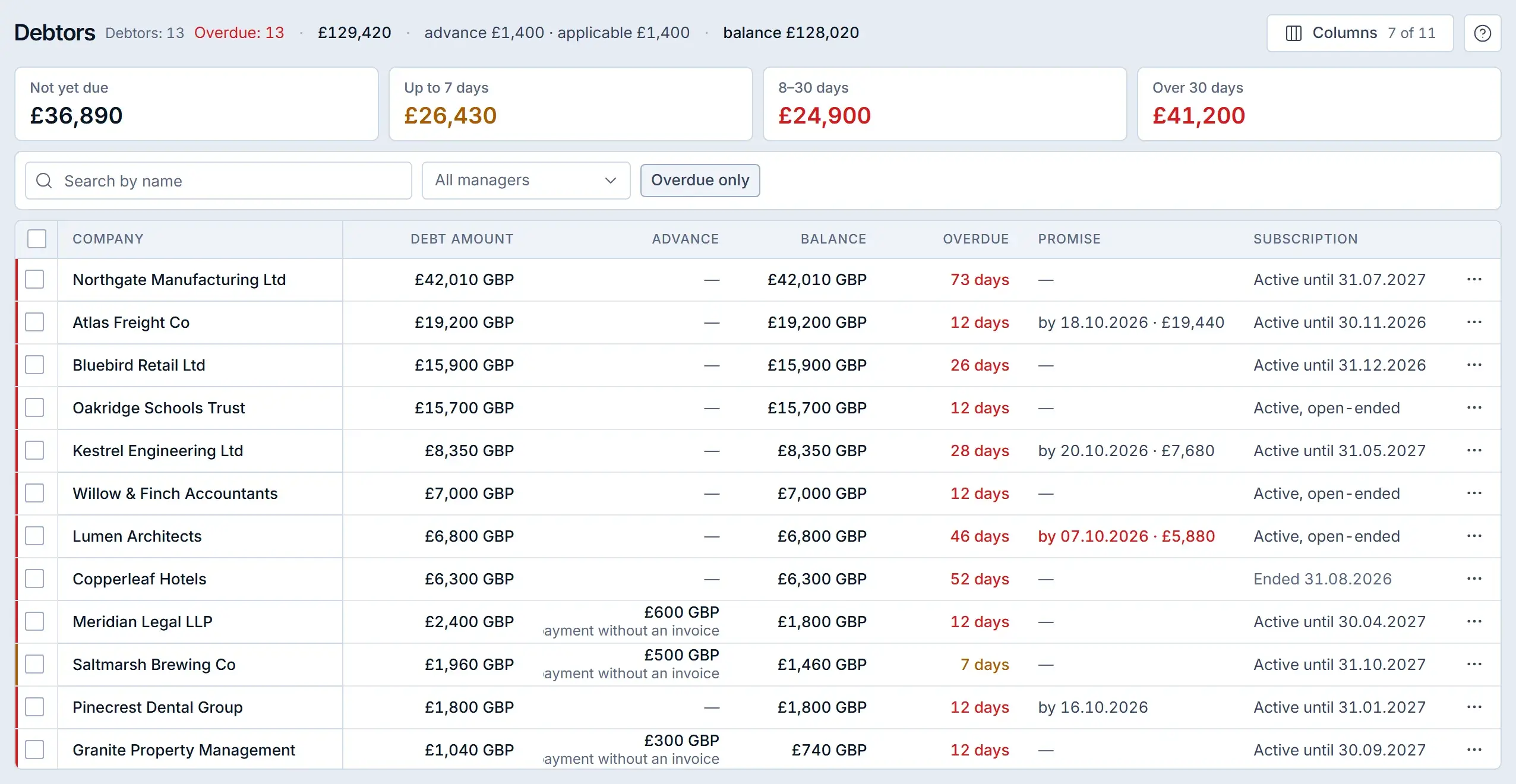
To track overdue invoices every morning in Krokul, open the Debtors screen.
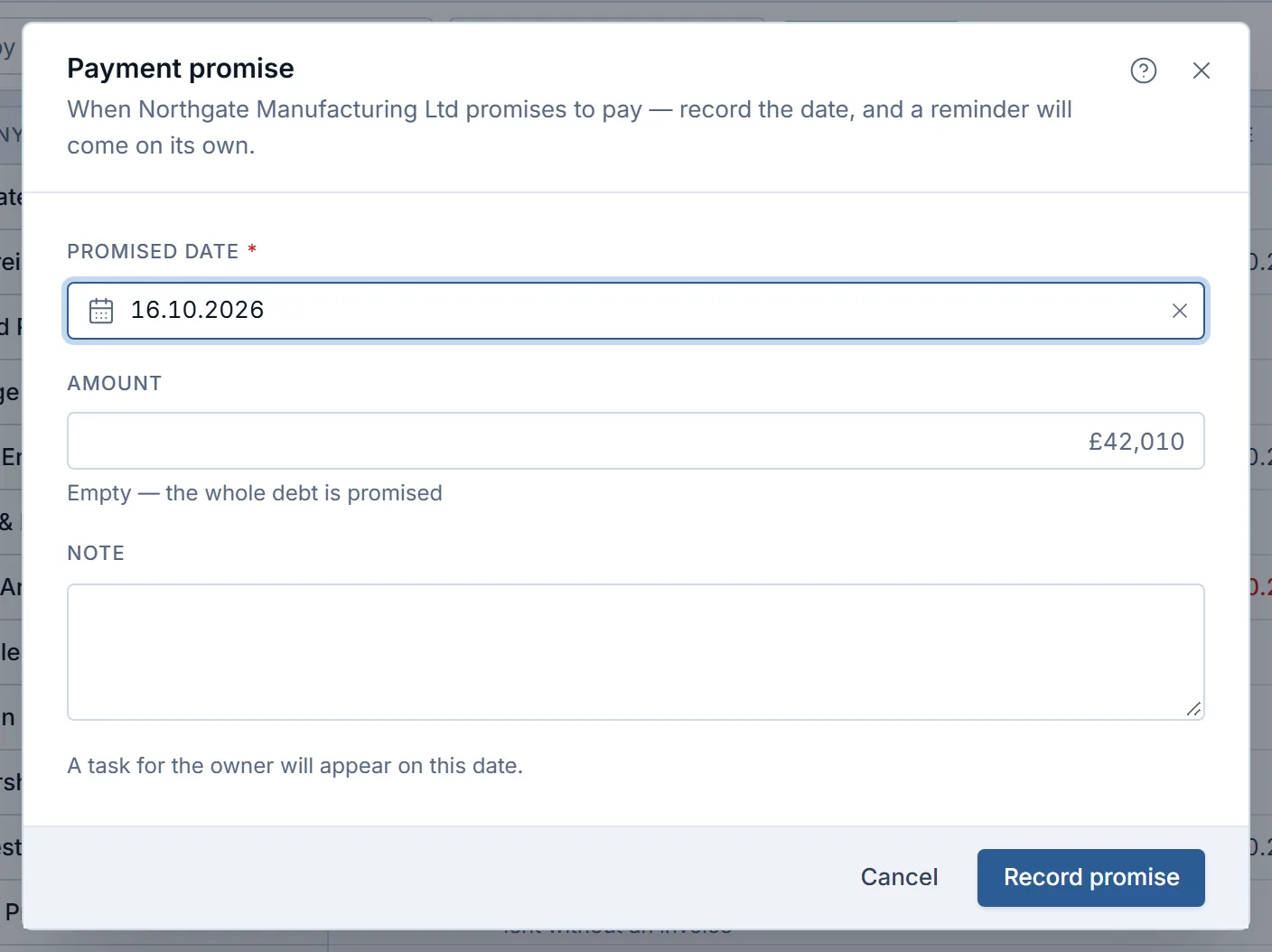
To record a promise to pay, save the date the client named, the amount (leave it empty for the whole debt) and who gave the promise on the client record, then set a task for the account owner on that date.
Written by the Krokul team
Every statement about the product is checked against Krokul itself, and every screenshot comes from a demo workspace.