Short answer
To find delivered work that was never invoiced, check the five places where work happens without an invoice trigger: hours above a prepaid package, closed project months, contract milestones, won deals and subscription periods. Compare each with the invoices and completion certificates already issued, then total what is missing for each client.
- Places to check: five
- Check: once a month
- You need: hours, contracts, deals and invoices
On this page
When you need to look for unbilled work#
Unbilled work is the revenue gap that opens between delivery and invoice. It is one part of the wider problem described in the guide on billing everything you deliver, and the size of the whole gap is the subject of revenue leakage in professional services.
- The month closes and the invoice total looks lower than the work your team remembers doing.
- Support hours went above the prepaid package and nobody sent an invoice for the extra.
- A project finished and the client accepted it, yet only some of the contract milestones were invoiced.
- A deal was marked won weeks ago and the client has not yet received an invoice.
- A subscription period started and the invoice for it is still unsent.
- Unbilled work
- Unbilled work is work already delivered or sold for which the client has not yet received an invoice or a completion certificate.
- Completion certificate
- A completion certificate is a document that records the work, hours or contract stages the client accepted and the amount due, and that supports the invoice.
How to find delivered work that was never invoiced in seven steps#
Finding unbilled work means comparing what was delivered with what was invoiced, source by source. Each of the five sources has its own record of delivery, so each needs its own comparison. Run the steps in order at every month end.
Set the lookback window
Choose how far back to look before you open any record. Three closed months for project work and twelve months for won deals cover most gaps that can still be invoiced.
Older items need a decision from the owner, either an invoice with an explanation or a write-off, so keep them on a separate list.
List the hours above each prepaid package
For every project with a monthly package of hours, take the billable hours logged in the current month and subtract the package. The remainder is billable overage, and it grows through the month, so check it weekly.
Multiply the extra hours by the overage rate in the contract. A project with no overage rate on file gets a line on the list with a question mark, because the amount cannot be known yet. The guide on billing retainer overage covers rates and client notice.
Match closed project months to certificates
For each closed month, list the projects with billable hours and look for a completion certificate or invoice dated to that month. Hours without a document are unbilled.
Skip months before the project started and months after it ended, because no work was owed there.
Compare contract milestones with what was certified
For every one-off contract that is in force, add up the value of the milestones that are finished and subtract the value already covered by certificates or invoices. A completed milestone with no document belongs on the list.
The guide on billing fixed-price projects by milestones explains how to keep milestones and invoices in step.
Find won deals that have no invoice
Open the deals marked won within the lookback window and check each one for an invoice, a certificate, a contract or a project that will invoice it. A won deal with none of these has a date and an amount, and nobody has been told to invoice it.
Record the date the deal was won, because that date shows how long the money has waited.
Check each subscription period
For every active subscription, compare the periods that have started with the invoices issued for them. A period that began and has no invoice is unbilled, even though the contract is fine.
The guide on invoicing retainers automatically every month removes this check by issuing the invoice on schedule.
Total by client and by age
Put every item into one list with the client, the source, the amount and the date the work has been waiting since. Sort by client to decide who gets a call, and by age to decide what to invoice first.
Create the certificate or invoice for each line the same day, and the list shrinks to the items that need a conversation.
Tip. Add the lines in the client’s own currency and convert only the total, so a rate change never alters a line.
Which source needs which document#
Each source produces a different document, so the table below doubles as the routing rule for the list you built. Hours and contract stages go through a completion certificate, and deals and subscription periods go straight to an invoice.
| Source | How to detect it | Document to create |
|---|---|---|
| Hours above the package | Billable hours this month minus the package hours | Completion certificate for the extra hours |
| Closed project month | Billable hours in a closed month with no document for that month | Completion certificate for the month |
| Contract milestone | Finished stages not covered by a certificate or invoice | Completion certificate for the stages |
| Won deal | Deal marked won with no invoice, certificate or project | Invoice from the deal |
| Subscription period | Period started with no invoice for that period | Invoice for the period |
How to total unbilled work for one client#
The total for a client is the sum of the amounts found in the five sources. The example below shows one client at month end, with each line calculated from its own record.
| Source | What was found | Amount |
|---|---|---|
| Hours above the package | 12 hours above a 40-hour package, at £90 an hour | £1,080 |
| Closed project month | 30 billable hours in September at £80, no certificate | £2,400 |
| Contract milestone | Stage 3 finished, not certified | £6,000 |
| Won deal | Deal won 40 days ago, no invoice | £5,000 |
| Subscription period | October period started, no invoice | £1,200 |
| Total | Unbilled work for this client | £15,680 |
Unbilled total = hours over the package × overage rate + billable hours × hourly rate + finished stage value + won deal value + subscription period value, each net of documents already issued. In the example, 12 × 90 + 30 × 80 + 6,000 + 5,000 + 1,200 gives £15,680. A client with an unpaid invoice of the same size would already be on the debtor list, and this amount is still missing from it.
Which mistakes hide unbilled work#
- Comparing this month’s invoices with last month’s. Every gap then looks normal. Compare invoices with hours, contracts and deals instead.
- Checking hours only. Contract milestones, won deals and subscription periods sit outside the timesheet, so give each its own comparison.
- Waiting for the client to ask. Clients rarely request an invoice for work they could keep for free, so issue the document when the work is accepted.
- Leaving won deals to memory. A deal marked won becomes an invoice only when someone remembers it, so list every won deal without a document each month.
- Keeping the list in a spreadsheet nobody refreshes. An old list shows old gaps, so recalculate it from the source records every month.
A month-end checklist for unbilled work#
Copy the list into your close routine. The full month-end routine for a service company is in the month-end billing checklist.
- Set the lookback: three closed months of project work, twelve months of won deals.
- Export billable hours by project for the closed month and compare each project with its documents.
- Subtract package hours from the current month’s hours and price the overage.
- List one-off contracts with finished stages that no certificate covers.
- List deals won in the window that have no invoice, certificate or project.
- List subscription periods that started without an invoice.
- Total by client, sort by age and create each document the same day.
How Krokul shows unbilled work in one list#
Krokul CRM is a B2B CRM for contract-based companies: deals, projects and profit per client in one system, implemented by integration partners. Its Unbilled screen runs the seven-step check above for every client at once.
Open Documents, then Unbilled. The header shows the total to invoice in the company’s base currency and the lookback, with project months three months back and won deals 365 days back. Five tiles show the amount and the number of rows for each source, and a switch turns the list from rows into clients, with the largest amount first.
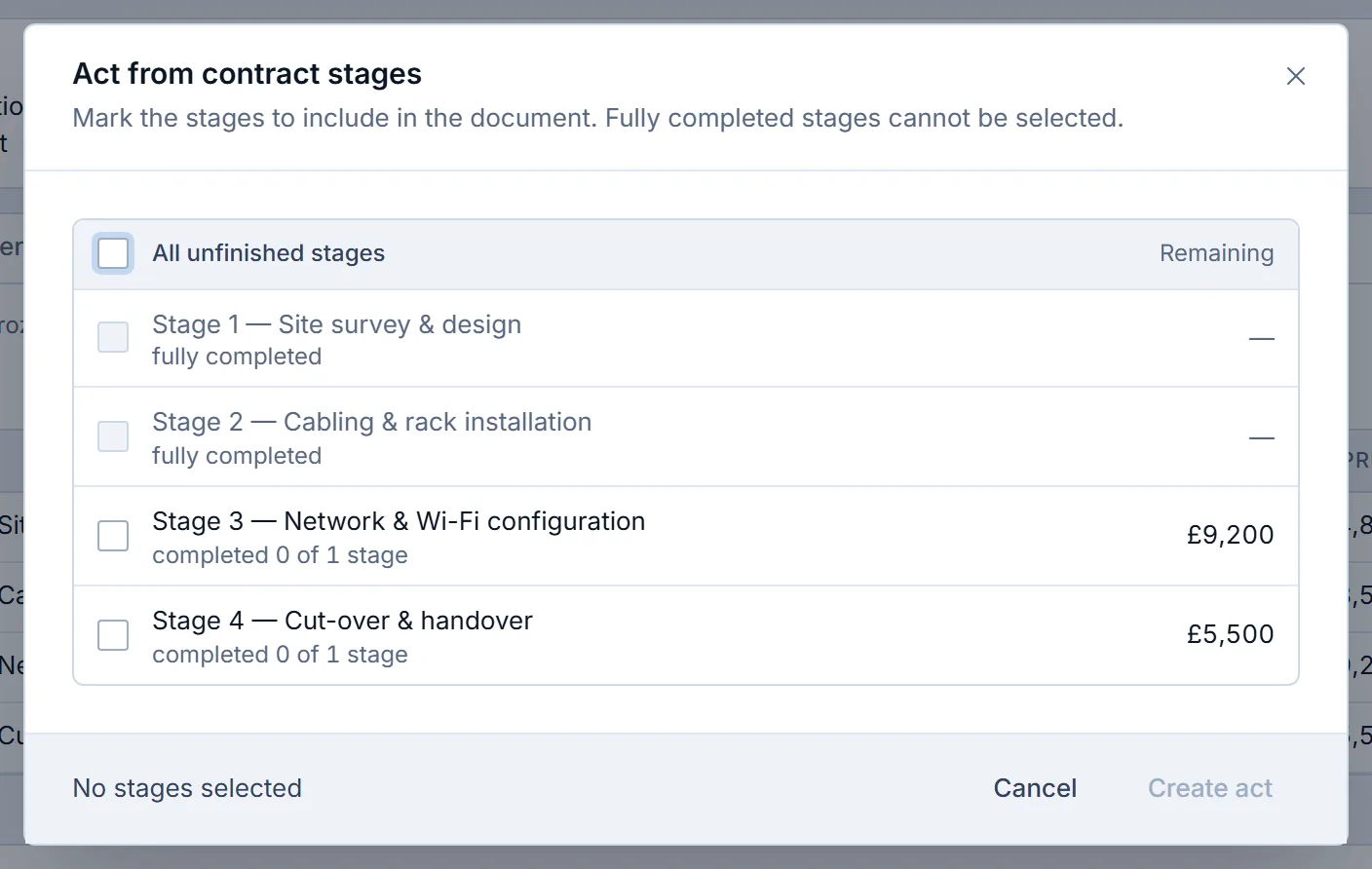
Each row names the client, the source, the project or document, the date the work has been waiting since, and the amount in the document’s currency. A button in the row creates the completion certificate for hours and contract stages, or the invoice for a won deal and a subscription period. When the document exists, the row disappears, because Krokul recalculates the list from hours, contracts, deals and subscriptions every time it opens.
A row that cannot produce a document shows the reason in place of the button, for example a project without an hourly rate or a deal without line items. A subscription period skipped earlier appears without a button and is invoiced from the contract card. Admins and managers see the screen. The projects and billing page shows where it sits among hours, margin and contracts.
Frequently asked questions#
How far back should I look for unbilled work?
Look back three closed months for project work and twelve months for won deals. Older items need a decision from the owner, either an invoice with an explanation or a write-off.
How often should I check for unbilled work?
Check once a month at close for the closed months, and once a week for hours above a package, because that overage grows during the month.
Should I include work the client has not accepted yet?
List it separately. A certificate or an invoice needs accepted work, so ask the client to confirm first and add the item to the total after acceptance.
Who should own the unbilled list?
A finance manager owns the list and the month-end total, and each project manager confirms the lines for their own projects. That split gives every line a named person.
What if an invoice exists but covers a different period?
Treat the period without an invoice as unbilled. An invoice for October does not cover November, so the November period stays on the list until its own invoice is issued.