Short answer
A discount approval workflow gives each sales role a largest discount it may give alone and sends every larger request to an approver with the percentage and a written reason. The approver accepts or rejects it, a rejection carries a reason, and the decision stays on the deal.
- Steps: six
- You need: a cap per role and a named approver
- Result: every exception has a person and a reason
On this page
When do you need a discount approval workflow?#
You need a discount approval workflow when discounts are agreed in chats and nobody can say afterwards who allowed what. It is one part of the wider method for quoting B2B prices fast and right, and it works with a spreadsheet as well as with a CRM.
- Two reps give different discounts to similar clients, and one client finds out.
- A rep asks in a messenger for 15 percent, and the manager replies with a thumbs-up that no report shows.
- The margin on a large deal becomes known only after the invoice goes out.
- The manager who approves is away, and the deal waits because nobody knows who else may decide.
- A larger discount is repeated for the next client because nobody wrote down the reason.
- Discount cap
- A discount cap is the largest discount, in percent, that a role may give without approval.
- Discount approval
- A discount approval is a decision by a second person on a request for a discount above the requester’s cap, with the percentage, a reason and the outcome on record.
- Approval route
- An approval route is an ordered list of steps that a request passes, each step assigned to a role or a person and optionally limited to larger requests by a threshold.
How to cap discounts by role and approve exceptions#
The method has six steps. Each step produces a rule that fits on one page, and an administrator then enters that page into the system.
Review the discounts given last quarter
Export the deals closed last quarter and list the discount, the rep and the margin of each. The list shows which discount reps give most often, and that percentage decides where the caps go. A cap set without this list is a guess, and reps test a guess in the first week.
Set a cap for each role
Give each role the largest discount it may give alone, a little above the routine discount from step 1. For example, 5 percent for a rep and 20 percent for a manager. Reps then close routine deals without asking, and only unusual deals reach an approver.
Require a reason above a lower threshold
Pick a percentage above which every discount needs a written reason, even when the role may give it alone. Ten percent is a workable start. The reason takes one sentence and later answers why this client paid less.
Name who approves each size of discount
Write down the approver for each band of requests. The approver needs a cap that covers the requested percentage, because nobody can grant more than they may give themselves. Nobody approves their own request, whatever their role.
Add a second step when one decision is not enough
When a discount changes the margin of a large deal, add a second approver for requests from a set percentage or a set amount, for example from 20 percent. Steps run one after another, and a step can run together with the previous one when two functions must both agree. A single refusal ends the request.
Record every decision with its reason
Store the requested percentage, the rep’s reason, the approver, the date and the reason for a refusal. A refusal without a reason sends the rep back to a chat, which is the conversation this process replaces. Review the record once a month and move a cap when the same exception repeats.
How do you choose the discount cap for each role?#
Choose each cap by the margin that remains after the discount, because the cap protects margin. Take the list price, the cost and the discount, and calculate the margin for each candidate percentage before you fix it.
| Discount | Price after discount | Margin | Margin, % | Who can grant it |
|---|---|---|---|---|
| 0 percent | £40,000 | £12,000 | 30.0 | No decision needed |
| 5 percent | £38,000 | £10,000 | 26.3 | The rep |
| 10 percent | £36,000 | £8,000 | 22.2 | The rep |
| 15 percent | £34,000 | £6,000 | 17.6 | A manager, or the rep after approval |
| 25 percent | £30,000 | £2,000 | 6.7 | An administrator |
The formula is margin after discount = (list price × (1 − discount) − cost) ÷ (list price × (1 − discount)). At 25 percent the margin falls from 30.0 to 6.7 percent, so that request goes to the person who answers for margin. Run the same table for your cheapest and your most expensive product line, because one percentage means different things on each.
How do you build an approval route with steps and thresholds?#
An approval route is a list of steps that a request passes in order, and each step has an approver and, optionally, a threshold. A step with a threshold applies only to larger requests, so a small exception passes one approver and a large one passes two.
| Request | Steps that apply | Final decision by |
|---|---|---|
| A rep asks for 12 percent | Step 1, a manager | The manager, whose cap is 20 percent |
| A rep asks for 25 percent | Step 1, a manager; step 2, an administrator, from 20 percent | The administrator, whose cap is 100 percent |
| A manager asks for 25 percent | Step 1, another manager; step 2, an administrator | The administrator |
Check the last step of every route. The person who gives the final yes needs a cap that covers the requested percentage, and a route whose last approver has a 20 percent cap can never approve 25 percent. Test each route with the largest discount it is meant to handle.
Tip. Use a parallel step when two functions must agree, for example sales and finance. Both approve before the request moves on, and either refusal ends it.
The same structure fits other exceptions. A floor price keeps a product from selling at a loss even after approval, and the guide to setting a minimum selling price shows how to choose it. A client who orders beyond a credit limit needs the same kind of decision, described in customer credit limits and exceptions.
Which mistakes make discount approval useless?#
- Setting one cap for everyone. A new rep and a senior manager carry different risk, so one number is too tight for one and too loose for the other; set a cap for each role.
- Approving in a chat. The decision disappears with the thread, so record it on the deal where the next person looks.
- Letting the requester approve. A yes from the same person gives no second look; require a different person.
- Rejecting without a reason. The rep returns with another percentage and the same argument; write what to change.
- Never revisiting the caps. When the same exception is approved every week, it is routine, so raise the cap or write a price rule.
What goes into a one-page discount policy?#
- Cap for each role, in percent.
- Percentage above which a written reason is required.
- Approver for each size of request, with a named substitute.
- Thresholds by percentage and by deal amount for extra steps.
- Time allowed for a decision, for example one business day.
- What a refusal must contain.
- Where decisions are stored and who reviews them each month.
How to cap discounts and approve exceptions in Krokul#
Krokul CRM is a B2B CRM for contract-based companies: deals, projects and profit per client in one system, implemented by integration partners. The pricing settings hold the caps, and the deal card holds the requests, as the page on quotes with a discount cap by role shows.
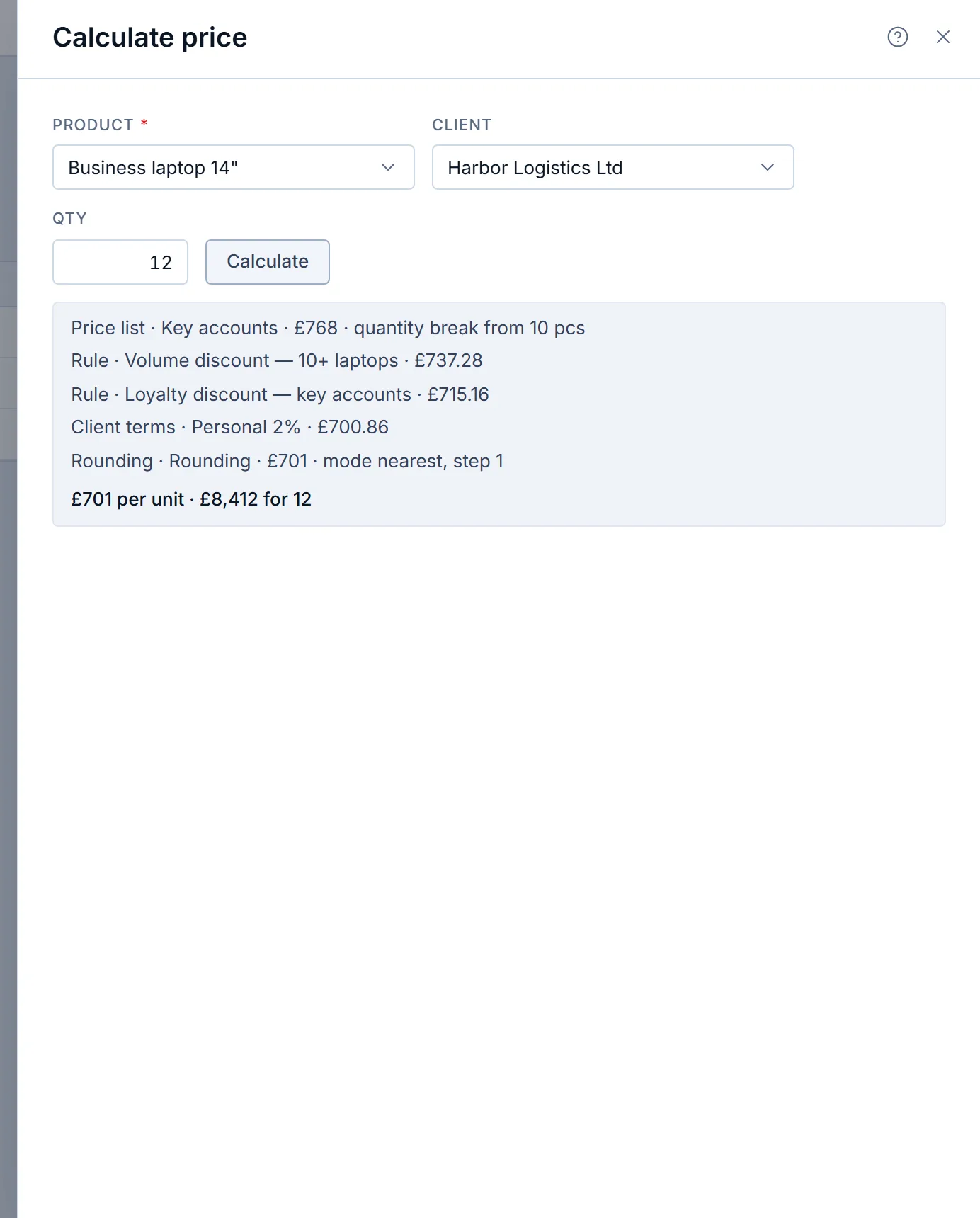
An administrator sets the largest manual discount for administrators, managers and agents, and the percentage above which a reason is required. The defaults are 100, 20 and 5 percent, with a reason required above 10 percent. Krokul refuses a discount typed by hand above the cap of the user’s role. Discounts that come from price lists, dated rules and client terms are set up in advance and are not checked against the cap.
To go above the cap, the rep opens the deal and uses the approval row on the Items tab. The request carries a percentage and a justification, and the justification is required. A request for a discount that the rep may give alone is refused, and the message names the rep’s own cap. Krokul notifies the administrators and managers whose own cap covers the percentage, and the request and every decision appear in the deal feed.
The approver chooses Approve or Reject. A rejection needs a reason that the author sees on the deal, and the author can request again. Nobody decides their own request, administrators included, and an approver can grant only a percentage that their own cap covers. After an approval the ceiling of that deal rises to the approved percentage, and documents created from the deal receive the approved discount as a percentage. The deals list also has a ready-made filter for deals that wait for your decision.
For a longer chain, an administrator sets an approval route for discounts in the pricing settings. A route has up to 10 steps, each assigned to a role or a person, with a threshold from a percentage or an amount, and a step can run together with the previous one. Any refusal rejects the request. Krokul refuses a request that the last step could never approve, before it is saved, and a changed route does not rebuild requests that are already open.
Frequently asked questions#
Can a manager approve their own discount?
No, the approver must be a different person from the requester. Krokul applies this to every role, administrators included, so a second person always gives the yes.
Does the cap apply to discounts from price lists and rules?
The cap applies to a discount that a person types on a line or a document. Discounts from price lists, dated rules and client terms are set up in advance by an administrator and are calculated by the pricing engine.
What if the approver is away?
Name a substitute in the policy and assign steps to a role instead of one person. In Krokul any member with the role of a step can decide it, and without a route a user whose own cap covers the request can decide.
How fast should an approval be?
Agree a time, for example one business day, and write it into the policy. A request that waits longer teaches reps to give the discount in a chat.
Does a rejected rep see the reason?
Yes, because a rejection needs a reason. Krokul shows it on the deal to the author, who can change the percentage and request again.