Short answer
To keep billing details, payment terms and a credit limit on the client card in Krokul, fill the billing details tab once, record the client terms with a price list, a payment deferral and a credit limit, and check the balance on the settlement tab. Documents then print the details, and a delivery note over the limit waits for approval.
- Steps: five
- Card tabs: Billing details, Settlement
- Limit stops: delivery notes
When client details live in too many places#
- An invoice goes out with an old bank account because the details were copied from the previous invoice.
- A sales rep agrees a payment deferral by phone, and the accountant learns about it when the client pays late.
- A client with an unpaid balance gets another delivery because nobody compared the order with the limit.
- Two cards exist for one client, and each holds half of the details.
The terms themselves are chosen in the way described in the guide on setting different prices for different customers. The client card holds them together with the details that documents print, with the requisites of your own company set up as seller organizations, as part of the method for quoting B2B prices fast and getting them right.
Fill in the billing details once
Open the client card and go to the Billing details tab. Enter the registration code (EDRPOU), the VAT status, the tax number, the IBAN and the bank, and add the signatory block if contracts are printed for this client. Set the legal name and the language of the client on the Main tab.
These fields feed the printed invoice, contract and delivery note. Krokul refuses a second active client with the same registration code, so a second active card cannot hold the other half of the details.
Record the payment terms
On the Pricing screen add terms for the client: a price list, a personal discount, a settlement currency, a payment deferral in days and a credit limit, with an end date for anything agreed for a period. The card then shows the active terms, and its Change button, which appears once terms exist, opens the Pricing screen.
Each client holds one record of terms, so a new agreement replaces the previous one.
Choose the credit limit with the balance in mind
Krokul compares the limit with the balance, which is the client’s debt minus any advance, counted in the base currency and never below zero. An advance reduces the used amount, and an order that is not invoiced yet does not enter it.
Pick a limit that covers one normal order cycle and review it at the same time as the end date of the terms.
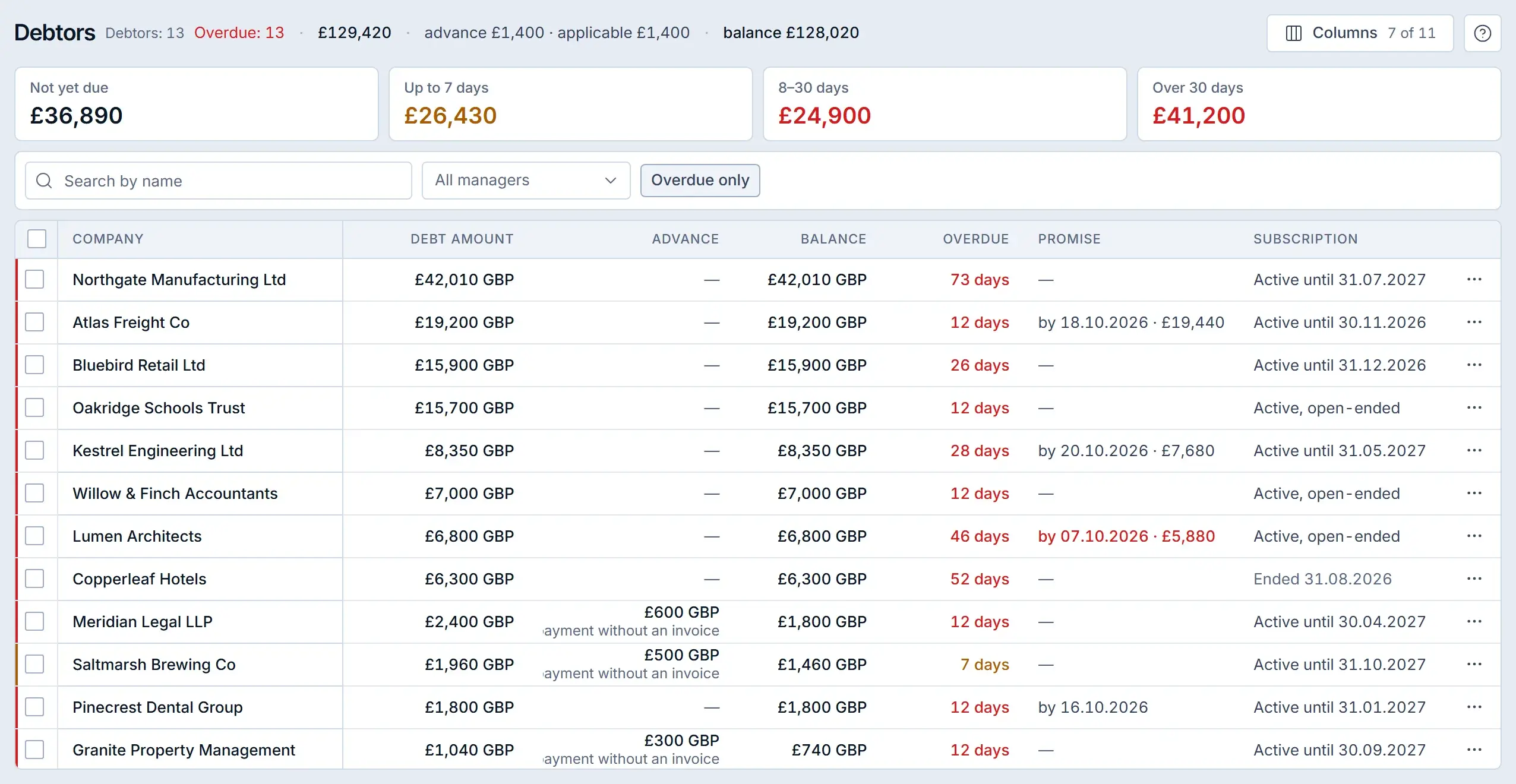
A different screen: the Debtors screen of a demo company shows debt, advance and balance per client, the figures that a credit limit is compared with. Check the settlement before shipping
Open the Settlement tab to see the debt, the advance and the queue of open invoices. Free money from the client goes to the oldest open invoices when you apply it, and you can unapply it in the payments register.
The card shows the limit, the used amount and the free amount next to the terms, and flags a client who is over the limit.
Let the limit hold the delivery
A delivery note created from a deal is refused with a message that it waits for the approval of a manager or administrator when the client’s balance plus the not yet invoiced rest of the deal exceeds the limit. Creating the deal and the invoice stays possible, and only the shipment waits.
An administrator can set an approval route for a deal over the credit limit, with one or several approvers, so the request follows a fixed order.
How the credit check decides#
The check adds the used amount of the client to the part of the deal that is not invoiced yet and compares the sum with the limit. The table follows one client in the base currency.
| Item | Amount |
|---|---|
| Debt on open invoices | £24,000 |
| Advance paid | £2,000 |
| Used amount (debt minus advance) | £22,000 |
| Free under the limit | £8,000 |
| Not yet invoiced rest of the deal | £9,500 |
| Used plus the deal | £31,500, above £30,000, so the delivery waits |
Once the client pays £1,500 or more, the sum falls to the limit and the delivery note can be created without approval. A manager can also approve the exception for this deal.
The same arithmetic works for every client, so a manager can estimate the answer before shipping: take the balance, add the part of the deal that is not invoiced yet and compare the sum with the limit. A client with no limit in the terms has no check at all, which may suit a trusted account if somebody decided it on purpose.
What happens to a branch of a holding#
A branch without terms of its own takes the terms of its nearest parent company, so the price list and the deferral carry down the group. The credit limit does not carry down: every legal entity has its own limit and its own balance.
Which client card mistakes cost money#
- Leaving the billing details empty because the first invoice was typed by hand. Fill the Billing details tab so every later document prints the same data.
- Setting a limit and never looking at the advance. An advance lowers the used amount, so a client who prepaid can show more free room under the limit than the invoices suggest.
- Assuming a holding limit covers the branches. Set the limit for each legal entity.
- Expecting the limit to stop quotes and invoices. It stops the delivery note, so approve exceptions where goods leave the warehouse.
A client card checklist#
- Registration code, VAT status, bank details and language filled in.
- One record of terms with a price list, a deferral, a limit and an end date.
- The limit reviewed together with the balance and the advance.
- An approval route chosen for a deal over the limit.
- Each branch of a holding checked for its own terms and limit.
For the overview of the card, read about client companies in Krokul. The guide on customer credit limits covers how to choose the limit itself.
Frequently asked questions#
Where is the credit limit set in Krokul?
In the client terms on the Pricing screen. Once a client has terms, the Change button next to them on the client card opens the Pricing screen.
Does the credit limit block a deal?
No. A deal can be created and invoiced. The delivery note from a deal over the limit waits for the approval of a manager or administrator.
Can a client be created twice with the same registration code?
No. Krokul refuses a second active client with the same registration code, so duplicates are caught when the card is saved.
Does a branch inherit the credit limit of the parent company?
No. A branch inherits the price list and other terms of the nearest parent company when it has none of its own, and the credit limit stays with each legal entity.